
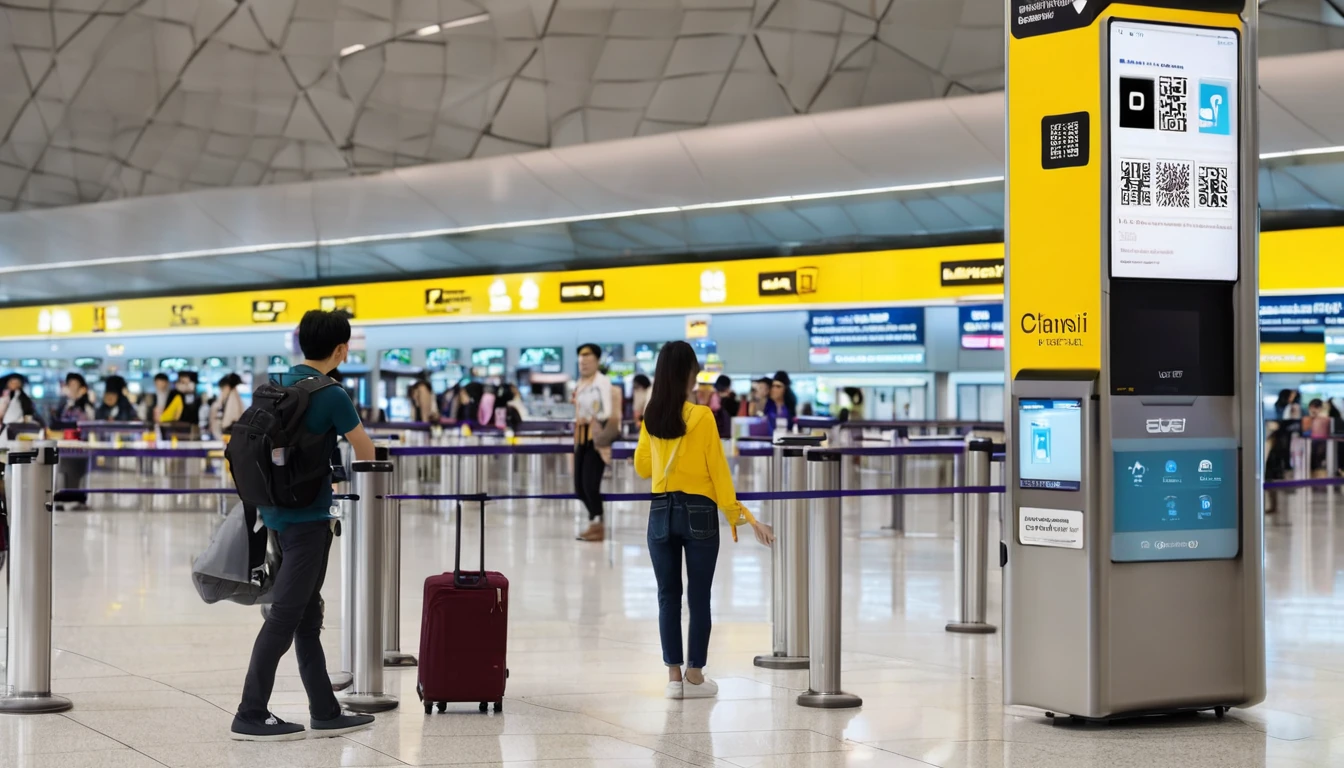
Why Singapore Is One of the Best Places in the World for Mobile Internet
Singapore punches well above its weight for mobile connectivity. Despite being one of the world's smallest nations by area, it consistently ranks among the global elite for network speed and coverage. According to Ookla's Speedtest Global Index, Singapore regularly posts median 5G download speeds above 400 Mbps — faster than most European and North American markets. For travelers, that means video calls, navigation, and streaming work flawlessly almost everywhere across the island.
The city-state's dense urban layout means there are essentially no dead zones in tourist areas. From the hawker centers of Chinatown to the gardens at Marina Bay, you'll have a strong signal. The real question isn't whether you'll get coverage — it's how to get connected as cheaply and conveniently as possible.
That's where an eSIM changes the game. Instead of hunting for a SIM card kiosk at Changi Airport or paying eye-watering international roaming fees, you can activate a Singapore data plan before you even board your flight. This guide covers everything you need: network speeds, eSIM setup, plan comparisons, and tips for squeezing the most out of Singapore's world-class infrastructure.
What Are Typical Mobile Internet Speeds in Singapore?
Singapore's mobile speeds are genuinely impressive, and understanding what to expect helps you pick the right plan. On 5G, median download speeds hover between 350–500 Mbps in central areas, while 4G LTE delivers a still-excellent 40–80 Mbps in most locations. Upload speeds are equally strong, which matters if you're posting Reels from Gardens by the Bay or joining a video conference from a co-working space in Tanjong Pagar.
5G Coverage in Singapore
Singapore's 5G rollout is largely complete in built-up areas. The Infocomm Media Development Authority (IMDA), Singapore's telecom regulator, set a target for nationwide outdoor 5G coverage, and the major local networks have broadly met that goal. In practice, 5G is available across:
- The Central Business District (CBD) and Marina Bay
- Orchard Road and the main shopping belt
- Changi Airport (all terminals)
- Sentosa Island and resort areas
- Most MRT stations and interchange hubs
Indoor 5G penetration is strong in malls, hotels, and office buildings, though some older shophouses in conservation areas may default to 4G LTE — still more than fast enough for any travel use case.
4G LTE: The Reliable Fallback
Even when 5G isn't available, 4G LTE in Singapore is excellent. Typical speeds of 40–80 Mbps mean you can stream HD video, use Google Maps with live traffic, and make WhatsApp video calls without buffering. If your device doesn't support 5G, you won't feel shortchanged.
Which Networks Does a Singapore eSIM Run On?
A Singapore eSIM connects to the major local mobile networks that blanket the island. The specific carrier your eSIM uses depends on the provider you purchase from, but in general you can expect access to the same high-quality infrastructure that local residents use daily.
The key thing to understand is that Singapore has a small number of major mobile network operators (MNOs), all of which have built dense, overlapping coverage across the island. Travel eSIM providers typically partner with one or more of these MNOs, so your data quality is determined by which network your eSIM profile is provisioned on — not the eSIM brand itself. When evaluating a Singapore eSIM plan, check whether the provider discloses which network it uses; plans on 5G-capable networks will naturally deliver faster speeds.
How Does a Singapore eSIM Work, and Is It Easy to Set Up?
Setting up a Singapore eSIM takes about five minutes and requires nothing more than your phone and a QR code. You purchase a plan online, receive a QR code by email (or via an app), scan it in your phone's settings, and the eSIM profile downloads automatically. No physical SIM card, no post office visit, no airport kiosk.
Here's the step-by-step process for most devices:
iPhone Setup (iOS 16+)
- Go to Settings → Cellular → Add eSIM
- Tap Use QR Code
- Scan the QR code from your purchase confirmation
- Follow the on-screen prompts to label the new plan (e.g., "Singapore Data")
- Set your primary SIM for calls/SMS and the eSIM for data
Android Setup (varies by manufacturer)
- Go to Settings → Network & Internet → SIMs → Add SIM
- Select Download a SIM instead or Scan QR code
- Scan the QR code
- Confirm the download and set data preferences
When Should You Activate?
You can scan the QR code before you leave home — the eSIM profile installs immediately, but data only starts counting when you toggle it on or when your device connects to a Singapore network (depending on the provider's policy). Best practice: install the eSIM profile at home, then switch it on as your flight descends into Changi. You'll have a working data connection before you clear immigration.
Device Compatibility: What You Need to Check
Not every phone supports eSIM. Before purchasing, confirm:
- iPhone: XS / XS Max / XR and all later models support eSIM. The iPhone 14 and later (US models) are eSIM-only.
- Android: Most flagship Android phones from 2020 onward support eSIM, including Samsung Galaxy S20+, Google Pixel 3a+, and many others.
- Carrier locks: Some phones purchased on carrier contracts are eSIM-locked. Check with your home carrier if unsure.
- Dual SIM: Most eSIM-compatible phones support dual SIM (physical + eSIM), letting you keep your home number active for calls and texts while using the eSIM for data.
For a broader look at how eSIM technology compares to your other options, see our eSIM vs Physical SIM vs Roaming: Which Is Best in 2026? guide.
What Are the Best Singapore eSIM Plans in 2026?
The best Singapore eSIM plan depends on your trip length and data appetite. Short city-break visitors typically need 3–5 GB over five to seven days, while digital nomads or longer-stay travelers may want an unlimited or high-cap plan. Here's a breakdown of the main plan tiers available for Singapore in 2026.
Plan Tier Comparison
| Plan Type | Typical Data | Typical Duration | Approx. Price (USD) | Best For |
|---|---|---|---|---|
| Starter | 1–2 GB | 3–5 days | $3–$5 | Weekend trip, light browsing |
| Standard | 3–5 GB | 7 days | $5–$9 | Week-long holiday, moderate use |
| Heavy User | 10–20 GB | 15–30 days | $12–$20 | Extended stay, remote work |
| Unlimited* | Unlimited (throttled after threshold) | 7–30 days | $15–$30 | Streaming, hotspot heavy use |
*Unlimited plans typically throttle speeds (to ~1 Mbps) after a high-speed data threshold (often 10–20 GB). For most travelers, a 10 GB plan is more cost-effective than an unlimited tier.
How Much Data Do You Actually Need in Singapore?
Singapore is a compact city — you won't spend hours downloading offline maps for remote terrain. Here's a rough daily data budget for typical tourist activities:
- Google Maps navigation: ~30–50 MB/day
- Instagram / social media browsing: ~200–400 MB/day
- Streaming music (Spotify): ~150 MB/hour
- WhatsApp calls: ~15–30 MB/hour
- Video streaming (YouTube 720p): ~500 MB/hour
For a five-day trip with moderate use (maps, social, messaging, occasional streaming), 3 GB is usually sufficient. If you plan to work remotely or stream video regularly, go for 10 GB or more.
How Does Singapore eSIM Compare to Other Connectivity Options?
Choosing between an eSIM, a local physical SIM, and your home carrier's roaming plan is a real decision — and the cost differences can be dramatic. Here's an honest comparison.
| Option | Cost | Setup Effort | Keeps Home Number? | Speed |
|---|---|---|---|---|
| Travel eSIM | $4–$20 | Low (QR code) | Yes (dual SIM) | 4G/5G |
| Local SIM (at Changi) | $8–$20 | Medium (queue, ID required) | No | 4G/5G |
| Home Carrier Roaming | $10–$15/day | None | Yes | Usually 4G |
| Airport/Hotel Wi-Fi | Free | Low | N/A | Variable |
The math strongly favors a travel eSIM or local SIM over roaming. A typical US carrier charges $10–$15 per day for international roaming — that's $70–$105 for a week in Singapore. A 5 GB eSIM plan for the same duration costs under $10. According to the GSMA's Mobile Economy 2024 report, eSIM adoption in Asia-Pacific is accelerating rapidly, with travelers increasingly choosing eSIM over roaming as the primary cost-saving mechanism.
The main advantage of a local SIM is that it may include a Singapore phone number and local voice minutes — useful if you need to make local calls (booking restaurants, calling hotels). However, most travelers in 2026 handle everything over WhatsApp or Google Voice, making a data-only eSIM perfectly adequate.
If you're traveling beyond Singapore into the broader region, a regional Asia eSIM plan can be even more economical. Check out our Asia Travel Data Plans 2026 guide for a full breakdown of multi-country options covering Singapore, Thailand, Japan, and more.
Do You Need a VPN or Are There Any Internet Restrictions in Singapore?
Singapore has a generally open internet, but it's not entirely unrestricted. The city-state's Infocomm Media Development Authority (IMDA) maintains a symbolic block on a small number of websites — primarily certain gambling and pornography sites — but these restrictions have minimal practical impact on tourists. News sites, social media, streaming platforms, Google services, and messaging apps all work without restriction.
VoIP and messaging apps: Unlike some neighboring countries, Singapore places no restrictions on VoIP services. WhatsApp calls, FaceTime, Zoom, Skype, and Google Meet all work normally on any network. This is a meaningful difference from markets like the UAE — if you're curious about how Singapore's approach compares, see our UAE eSIM & Mobile Internet Guide for context on VoIP restrictions elsewhere in Asia.
Streaming geo-restrictions: Netflix, Disney+, and other streaming platforms work in Singapore, but your content library will reflect Singapore's licensing agreements — which may differ from your home country. A VPN can address this if needed, and VPN use is legal in Singapore for personal use.
Bottom line: Most travelers won't need a VPN for day-to-day connectivity in Singapore. The internet is fast, open, and reliable.
What Is the Mobile Internet Like at Changi Airport?
Changi Airport is consistently rated among the world's best airports, and its connectivity matches that reputation. All four terminals offer free, high-speed Wi-Fi (Changi Airport Free Wi-Fi) that requires a simple registration with your email or mobile number. Speeds are typically 20–50 Mbps — more than adequate for messaging and light browsing while you wait.
For cellular connectivity, 4G and 5G coverage is excellent throughout all terminals, including the Jewel Changi Airport complex. If you've pre-installed your eSIM, it should connect automatically as soon as you land and switch it on — usually while you're still taxiing to the gate.
Pro tip: Don't wait until you clear immigration to activate your eSIM. Switch it on during the taxi to the gate. By the time you reach the immigration hall, your maps and messaging apps will already be synced and ready.
Is Singapore a Good Base for Regional eSIM Use?
Singapore is a major travel hub for Southeast Asia, and many visitors use it as a gateway to Malaysia, Indonesia, Thailand, and beyond. If you're planning a multi-country trip, a regional Asia eSIM plan is worth considering — it covers multiple countries under a single plan, saving you the hassle of buying and managing separate eSIMs for each destination.
For example, a regional Asia eSIM might cover Singapore, Malaysia, Thailand, Indonesia, Vietnam, and more under a single 10 GB allocation. These plans typically cost $15–$25 for 10–15 GB across the region, compared to $5–$10 per country for individual plans. The trade-off is that regional plans sometimes run on slower networks (4G rather than 5G) in individual countries.
If you're heading to Japan before or after Singapore, our Japan eSIM & Mobile Internet Guide covers the specific nuances of Japanese networks, including train Wi-Fi and the eKYC registration requirements that apply to some local SIMs.
For the broader regional picture, Simology's Asia eSIM plans offer multi-country coverage that includes Singapore as part of a wider Southeast Asian or pan-Asian bundle.
What Are the Best Areas in Singapore for Mobile Connectivity?
Singapore's coverage is uniformly excellent, but there are a few nuances worth knowing.
MRT and Underground Stations
Singapore's MRT system has near-complete cellular coverage, including underground sections. You can stream music, use maps, and message throughout your commute — a luxury that many major cities still haven't achieved. Wi-Fi is also available on most MRT trains and in all stations via the SingTel Wi-Fi or government-operated Wireless@SG network.
Hawker Centers and Outdoor Areas
Singapore's famous hawker centers are mostly open-air or semi-covered structures. Cellular signal is strong throughout, and many hawker centers also have Wireless@SG hotspots. You won't lose your connection while ordering char kway teow.
Sentosa Island
Sentosa has solid 4G/5G coverage across its resort areas, beaches, and Universal Studios Singapore. The cable car and some beach areas may see slightly lower signal strength, but it remains functional for most uses.
Jurong and Western Singapore
Coverage in western industrial and residential areas is strong, though 5G density is slightly lower than in the CBD. For tourists, this is unlikely to matter — most attractions are concentrated in the central and southern parts of the island.
How Do You Troubleshoot a Singapore eSIM That Isn't Working?
Even with a perfect setup, eSIMs occasionally need a nudge. Here are the most common issues and their fixes.
eSIM Installed but No Data Connection
- Check that data roaming is enabled — even though you're using an eSIM, your phone may treat it as a "roaming" line. Go to Settings → Cellular → [Your eSIM plan] → Data Roaming and toggle it on.
- Manually select a network — go to Settings → Cellular → Network Selection, turn off Auto, and manually select a local Singapore network. Then switch back to Auto.
- Restart your phone — a simple restart resolves most eSIM connectivity issues after installation.
- Check the APN settings — your eSIM provider should supply APN details. If data isn't working, confirm the APN is correctly configured in your cellular settings.
eSIM Profile Downloaded but Won't Activate
- Ensure you have an active internet connection when downloading (use airport Wi-Fi or your home SIM).
- Some eSIM profiles expire if not activated within a set window (often 30–90 days from purchase). Check your provider's terms.
- If the QR code fails, most providers offer a manual activation code as an alternative.
Slow Speeds Despite 5G Signal
- Toggle airplane mode on and off to force a network refresh.
- Check whether your plan has a high-speed data cap — if you've exceeded it, speeds will throttle.
- Some eSIM plans are provisioned on 4G networks even in 5G areas; check your plan specifications.
For a deeper dive into eSIM troubleshooting across different devices and markets, our eSIM vs Physical SIM for Travel guide covers common compatibility pitfalls in detail.
FAQ
Can I use an eSIM in Singapore if my phone is carrier-locked?
If your phone is locked to your home carrier, it may not accept a third-party eSIM profile. Check with your carrier before traveling — most will unlock your device for free if you've completed your contract term. Phones purchased unlocked or directly from the manufacturer (like Apple's unlocked iPhones) work with any eSIM without issue.
Does a Singapore eSIM include a local phone number?
Most travel eSIMs for Singapore are data-only and do not include a local Singapore number. You can still make and receive calls using VoIP apps like WhatsApp, FaceTime, or Zoom over the data connection. If you specifically need a local Singapore number, a local physical SIM from Changi Airport will include one.
How long does it take to activate a Singapore eSIM?
The eSIM profile typically downloads and installs within two to three minutes once you scan the QR code, provided you have an active internet connection. Data service usually begins within seconds of the profile activating and connecting to a local network in Singapore.
Is 3 GB enough data for a week in Singapore?
For most tourists doing typical activities — navigation, social media, messaging, and occasional streaming — 3 GB is sufficient for a five to seven day trip. If you plan to stream video regularly, use your phone as a hotspot for a laptop, or work remotely, opt for a 10 GB or larger plan.
Can I share my Singapore eSIM data as a hotspot?
Many Singapore eSIM plans support mobile hotspot (tethering), but not all do. Check the plan details before purchasing if hotspot use is important to you. Hotspot capability is usually listed in the plan features, and plans that support it may have a separate hotspot data cap.
What happens when my Singapore eSIM data runs out?
When you exhaust your data allowance, most plans will either stop data entirely or throttle speeds to a very slow rate (typically 64–128 Kbps). You can usually top up by purchasing an additional plan from your provider. Some providers allow you to reuse the same eSIM profile with a top-up; others require you to install a new profile.
Do I need to register my eSIM with Singapore authorities?
Travel eSIMs purchased from international providers do not require local registration in Singapore. Local SIM cards purchased in Singapore require ID verification under Singapore's SIM registration rules, but this applies to physical SIMs sold locally, not to travel eSIMs provisioned abroad.
Will my Singapore eSIM work in Malaysia or nearby countries?
A Singapore-specific eSIM plan will generally only provide data within Singapore. If you're traveling to Malaysia, Indonesia, or other neighboring countries, you'll need either a separate eSIM plan for those destinations or a regional Asia eSIM plan that covers multiple countries. Check the coverage map of your specific plan before traveling across borders.
Getting Connected: Key Takeaways
Singapore is one of the most eSIM-friendly destinations in the world — excellent 5G coverage, no VoIP restrictions, no complex registration requirements, and a competitive market of travel eSIM providers offering plans from as little as $4. Here's what to remember:
- Buy and install your eSIM before you fly — you can activate it the moment you land at Changi.
- 3 GB is enough for most week-long trips; go for 10 GB if you'll work remotely or stream heavily.
- 5G is widely available in tourist areas, the CBD, and Changi Airport.
- No VPN needed for typical tourist use — Singapore's internet is open and fast.
- Dual SIM means no trade-offs — keep your home number active for calls while the eSIM handles data.
Whether you're visiting for a weekend stopover or spending a month exploring the island's food scene, neighborhoods, and surrounds, a Simology Singapore eSIM ensures you're connected from gate to hawker center without paying roaming rates. Check current plan availability and pricing to find the right option for your trip.





