
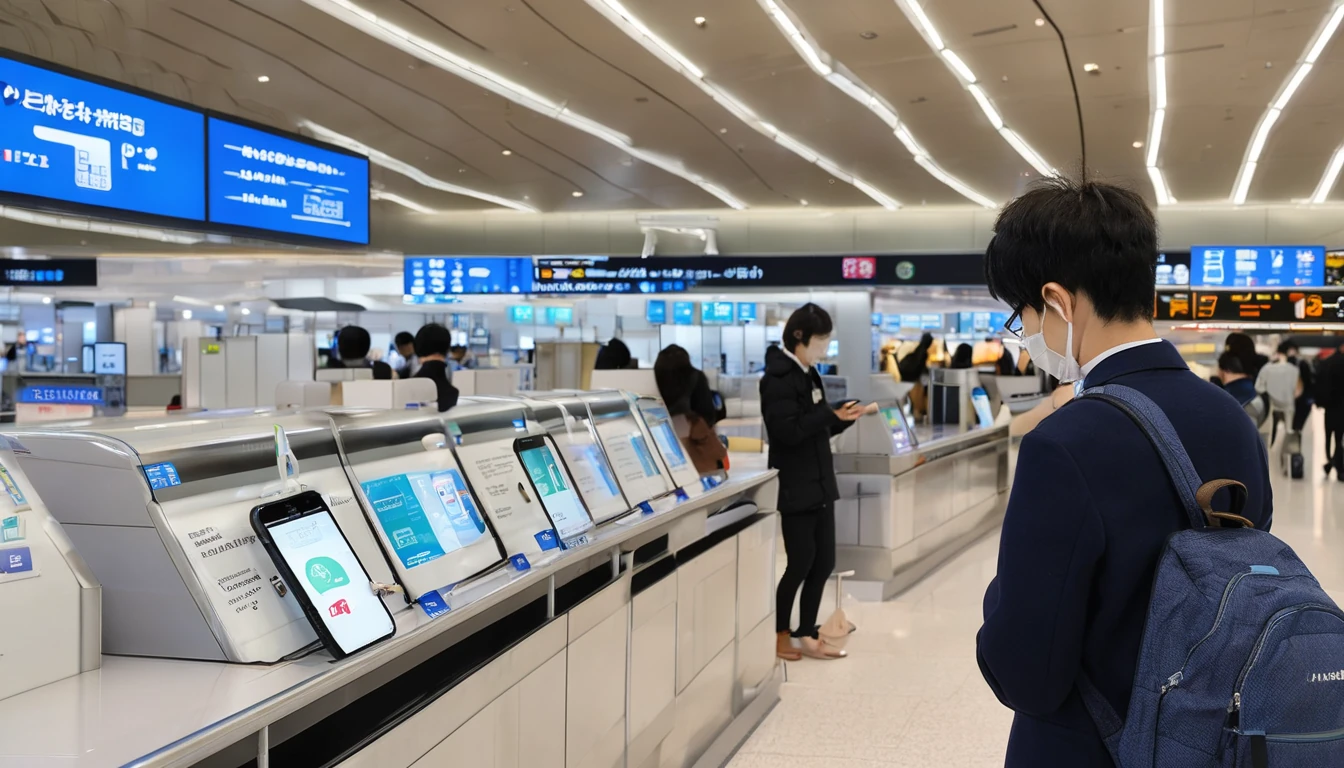
Why Japan Is One of the Best Countries for Mobile Internet
Japan consistently ranks among the world's top mobile markets. According to the GSMA's Mobile Economy report, Japan has one of the highest smartphone penetration rates in the Asia-Pacific region, and its three major operators have blanketed the country with 5G infrastructure far ahead of most Western nations. For travelers, that translates to fast, reliable data almost everywhere — from the neon-lit streets of Shinjuku to the cedar-forested trails around Nikko.
Here's the quotable stat worth bookmarking: Japan's mobile broadband download speeds regularly exceed 150 Mbps on 5G, placing it in the global top tier for network performance (Ookla Speedtest Global Index, 2025).
That speed matters for tourists. You'll be relying on your phone for Google Maps navigation, real-time translation apps, LINE messaging, and booking restaurant queues via apps like Tableall or Omakase. A slow or unreliable connection isn't just inconvenient — it can genuinely derail plans in a country where so much logistics is app-driven.
The good news? Getting connected has never been simpler, thanks to the rise of travel eSIMs. If you're also planning side trips around the region, check out our Asia travel data plans comparison for a broader look at how Japan stacks up against neighboring destinations.
Does Japan Have Good 5G Coverage for Tourists?
Japan's 5G coverage is excellent in urban centers and expanding rapidly in rural areas. The major networks — which collectively serve virtually the entire country — have deployed 5G across all major cities including Tokyo, Osaka, Kyoto, Hiroshima, Sapporo, and Fukuoka. In rural areas and mountain regions, you'll typically fall back to solid 4G LTE, which is more than sufficient for navigation and messaging.
Urban vs. Rural Coverage Reality
In Tokyo, Osaka, and other major cities, 5G is effectively ubiquitous outdoors and in most modern buildings. Indoor coverage in older concrete structures can be spottier, but 4G LTE fills the gaps.
In rural areas — think the Japanese Alps, remote Kyushu countryside, or smaller islands — you can expect 4G LTE with occasional 3G fallback in very isolated spots. For the vast majority of tourist itineraries, this won't be an issue.
Shinkansen and Train Corridor Coverage
One common traveler question: will my data work on the bullet train? The answer is mostly yes. The Tokaido Shinkansen (Tokyo–Osaka) and Sanyo Shinkansen corridors have strong coverage along most of the route, with brief signal drops in tunnels. Newer Shinkansen lines like the Hokuriku extension (which opened its Kanazawa–Tsuruga section in 2024) have improved tunnel repeaters.
That said, don't expect to stream 4K video continuously on a bullet train — plan for occasional buffering. For working purposes (email, Slack, light video calls), the connection is generally reliable enough.
What Is eKYC, and Does It Affect Tourist eSIMs in Japan?
eKYC (electronic Know Your Customer) is Japan's identity verification framework for SIM and eSIM purchases, introduced to combat SIM fraud. For tourists buying a local Japanese eSIM or prepaid SIM, you'll typically need to complete a photo ID verification step — usually by uploading a passport photo through an app or web portal. This applies to local carriers' direct offerings.
However, if you purchase a travel eSIM from an international provider before you leave home, eKYC is handled entirely by the provider in their home jurisdiction. You won't face any on-the-ground ID verification at a Japanese store. This is one of the biggest practical advantages of pre-purchasing a travel eSIM: you skip the airport SIM counter queue and the eKYC process entirely.
What Documents Are Required?
For local Japanese SIM purchases (in-store or online from Japanese carriers):
- Passport (tourists cannot use a Japanese driver's license)
- A valid credit or debit card for payment
- In some cases, a selfie for facial recognition matching
For international travel eSIM providers, requirements vary by brand but typically involve a simple email registration at purchase — no passport upload needed.
2024–2025 Regulatory Changes to Know
Japan tightened its SIM registration rules under the amended Telecommunications Business Act, making passport verification mandatory for all prepaid SIM sales. Enforcement ramped up through 2024 and 2025. This means the days of buying an anonymous prepaid SIM at a convenience store are largely over for tourists — but international travel eSIMs remain unaffected by this domestic rule. For a detailed breakdown of identity requirements specific to tourists, see our companion guide on Japan eSIM for tourists: identity requirements and network notes.
How Do I Set Up an eSIM in Japan?
Setting up a travel eSIM for Japan is a straightforward process you can complete entirely before your flight. The key is to install the eSIM profile while you still have a reliable Wi-Fi connection at home — that way, you're connected the moment your plane lands.
Step-by-Step Setup Guide
- Check device compatibility — Your phone must be unlocked and eSIM-capable. Most flagship smartphones released since 2020 support eSIM (see the compatibility section below for specifics).
- Purchase your eSIM plan — Buy through your chosen provider's app or website. You'll receive a QR code via email or in-app.
- Install the eSIM profile — Go to Settings → Mobile/Cellular → Add eSIM (exact wording varies by device). Scan the QR code.
- Configure data settings — Set the eSIM as your data line while keeping your home SIM for calls/texts. Enable "Data Roaming" on the eSIM line.
- Activate on arrival — Most travel eSIMs activate automatically when your phone connects to a Japanese network. Some require you to toggle the eSIM line on manually.
When Should I Install the eSIM?
Install it 24–48 hours before departure. This gives you time to troubleshoot any issues with customer support while you're still at home. Don't wait until you're at the airport — airport Wi-Fi can be unreliable for the QR scanning process.
Is My Phone Compatible with a Japan eSIM?
Most modern smartphones are eSIM-compatible, but there are important exceptions — particularly for devices purchased in mainland China, where eSIM functionality is sometimes disabled by manufacturers. Japan is an excellent eSIM destination because all major networks support eSIM provisioning.
Compatible Devices (2026)
| Device | eSIM Support | Notes |
|---|---|---|
| iPhone XS and later | ✅ Yes | Dual SIM (nano + eSIM) |
| iPhone 14 (US model) | ✅ eSIM only | No physical SIM slot |
| iPhone 15 / 16 series | ✅ Yes | Multiple eSIM profiles |
| Samsung Galaxy S21 and later | ✅ Yes | Check regional variant |
| Samsung Galaxy Z Fold/Flip | ✅ Yes | Most global variants |
| Google Pixel 3 and later | ✅ Yes | Pixel 3a excluded |
| OnePlus (select models) | ⚠️ Partial | Varies by model/region |
| Huawei (post-2019) | ❌ Generally no | Hardware restrictions |
| Devices bought in China | ⚠️ Check | eSIM often disabled |
Important: Even if your phone model supports eSIM, it must be carrier-unlocked. If you bought your phone on a carrier contract and haven't completed your term, it may still be locked. Contact your carrier to confirm unlock status before purchasing an eSIM.
For a broader comparison of eSIM versus physical SIM options for international travel, our eSIM vs physical SIM guide for 2026 covers everything you need to know.
What Data Plans Are Available for Japan in 2026?
Travel eSIM plans for Japan in 2026 span a wide range of data sizes and durations, making it easy to match your plan to your trip length. Short city breaks typically need 3–5 GB, while two-week itineraries covering multiple regions benefit from 10–20 GB plans.
Typical Plan Tiers for Japan
| Plan Size | Typical Duration | Best For | Approx. Price Range |
|---|---|---|---|
| 1 GB | 7 days | Light use (maps + messaging) | $4–$7 |
| 3 GB | 15 days | Average tourist use | $10–$15 |
| 5 GB | 30 days | Active social media users | $14–$20 |
| 10 GB | 30 days | Digital nomads, video calls | $22–$32 |
| 20 GB | 30 days | Heavy users, remote workers | $35–$50 |
| Unlimited* | 7–30 days | Power users | $30–$60 |
*Unlimited plans often throttle speeds after a daily or total threshold (commonly 1–3 GB/day at full speed).
How Much Data Do You Actually Need?
A useful rule of thumb: budget 1–1.5 GB per day for typical tourist use — Google Maps navigation, Instagram browsing, messaging, and occasional web searches. If you're relying on your phone for remote work, video calls, or heavy streaming, double that estimate.
Japan has excellent free Wi-Fi at many hotels, major train stations (JR stations, Shinkansen platforms), convenience stores (7-Eleven, FamilyMart, Lawson), and tourist spots. This can supplement your eSIM data, but don't rely on public Wi-Fi for sensitive tasks or as your primary connection.
Does Wi-Fi Work on Japanese Trains?
Japan's train Wi-Fi situation is more nuanced than you'd expect. Shinkansen (bullet trains) operated by JR Group offer onboard Wi-Fi on most lines, but the quality and access method varies significantly by line and train generation.
Shinkansen Wi-Fi by Line (2026)
- Tokaido Shinkansen (Tokyo–Osaka–Hakata): Free Wi-Fi available on N700S series trains. Registration required via a web portal; sessions may time out and require re-authentication.
- Tohoku/Hokkaido Shinkansen: Wi-Fi available on E5/H5 series trains. Similar registration process.
- Hokuriku Shinkansen: Wi-Fi available on newer W7/E7 series trains.
- Kyushu Shinkansen: Wi-Fi available on select services.
The Reality of Shinkansen Wi-Fi
Here's the honest assessment: Shinkansen Wi-Fi is functional but unreliable for anything bandwidth-intensive. It works fine for checking messages or loading a webpage, but video calls and large downloads will frustrate you. The connection drops in tunnels (and the Tokyo–Osaka route has many), and re-authentication after reconnection is annoying.
The practical recommendation: Use your eSIM data for the train journey. With Japan's strong 4G LTE coverage along Shinkansen corridors, your eSIM will often outperform the onboard Wi-Fi for speed and consistency.
Local Train and Metro Wi-Fi
Tokyo Metro, Osaka Metro, and other urban rail systems offer Wi-Fi at stations, but coverage inside moving trains is minimal. Again, your eSIM data is the more reliable option for in-transit connectivity.
Can I Make Calls and Send Texts with a Japan Travel eSIM?
Most travel eSIMs are data-only — they give you a Japanese data connection but don't include a local Japanese phone number. This means you can't receive calls on a Japanese number or send traditional SMS. For most tourists, this isn't a problem.
What You Can Do with a Data-Only eSIM
- VoIP and app-based calls: WhatsApp, FaceTime, Zoom, LINE, and Google Meet all work perfectly over your data connection. Japan has no VoIP restrictions (unlike some countries in the Middle East — see our UAE eSIM guide for context on how different that situation is).
- Your home number stays active: With dual-SIM, your home SIM stays in your phone for calls and texts from people back home. You just won't use it for data (to avoid roaming charges).
- LINE is ubiquitous in Japan: If you need to contact Japanese businesses, hotels, or restaurants, LINE is Japan's dominant messaging app. A data connection is all you need to use it.
What If You Need a Local Japanese Number?
If you genuinely need a Japanese phone number — for business purposes or extended stays — you'd need to purchase a local prepaid SIM with voice capability from a Japanese carrier. This involves the eKYC passport verification process described earlier. For most tourists, app-based calling over a data eSIM is the better, simpler solution.
Japan eSIM vs. Pocket Wi-Fi vs. Local SIM: Which Is Best?
Choosing between a travel eSIM, a pocket Wi-Fi router, and a local SIM card comes down to your specific needs. Here's a direct comparison to help you decide.
| Option | Cost (1 week) | Setup | Sharing | Coverage | Verdict |
|---|---|---|---|---|---|
| Travel eSIM | $10–$25 | Instant, pre-trip | No (1 device) | Excellent | Best for solo travelers |
| Pocket Wi-Fi | $35–$60 | Airport pickup/return | Yes (multiple devices) | Good | Best for groups |
| Local SIM | $15–$30 | Airport store + eKYC | No | Excellent | Good if you need local number |
| Roaming (carrier) | $50–$200+ | None | No | Varies | Avoid for long trips |
The bottom line: For solo travelers and couples, a travel eSIM wins on convenience, price, and flexibility. For families or groups of 3+ who want to share a single connection, a pocket Wi-Fi rental can make more financial sense — though everyone sharing one router has its own frustrations. For a deeper analysis, our eSIM vs physical SIM vs roaming guide covers the trade-offs comprehensively.
What Are the Best Tips for Using an eSIM in Japan?
Getting the most from your Japan eSIM means knowing a few practical tricks that most guides don't cover. These tips come from real traveler experience navigating Japan's unique connectivity landscape.
Before You Go
- Download offline maps via Google Maps or Maps.me for key areas. Even with great eSIM coverage, offline maps save data and work in subway dead zones.
- Save key addresses in Japanese characters. Many taxi drivers and locals can't read romaji (romanized Japanese). Having addresses in kanji/hiragana on your phone screen is invaluable.
- Download the Japan Official Travel App (by JNTO) and the Hyperdia or Jorudan train apps while on home Wi-Fi. These are essential for navigation and don't need constant connectivity once cached.
Managing Your Data in Japan
- Disable auto-updates on your phone before departure. App updates can silently consume gigabytes of data.
- Use Wi-Fi at accommodations for heavy downloads (podcasts, maps, offline content).
- Monitor data usage via your phone's built-in data tracker. Set a warning alert at 80% of your plan limit.
- 7-Eleven, FamilyMart, and Lawson all offer free Wi-Fi — useful for a quick data-saving pit stop.
If Your eSIM Isn't Connecting
- Toggle airplane mode on and off to force a network search.
- Check that "Data Roaming" is enabled on the eSIM line (not your home SIM).
- Go to Settings → Mobile/Cellular → Network Selection and manually select a Japanese network.
- Restart your phone entirely.
- Contact your eSIM provider's support — most offer 24/7 chat support.
Planning a Multi-Country Asia Trip? Consider a Regional eSIM
If Japan is one stop on a broader Asia itinerary — say, combining Japan with South Korea, Taiwan, or Southeast Asia — a regional Asia eSIM can be more cost-effective than buying individual country eSIMs.
Regional plans typically cover 10–20 countries across Asia, and while the per-GB cost is slightly higher than a Japan-only plan, the convenience of a single eSIM covering your whole trip is hard to beat. Browse Japan eSIM options on Simology or explore Asia-wide eSIM plans if your itinerary spans multiple countries.
For comparison, travelers heading to South Korea after Japan might want to check South Korea eSIM plans to see whether a regional plan or two separate eSIMs works out cheaper for their specific trip.
FAQ
How do I activate a Japan travel eSIM?
Purchase your eSIM from a travel eSIM provider before your trip, install the QR code profile in your phone's Settings under "Add eSIM," and configure it as your data line. Most plans activate automatically when your phone connects to a Japanese network upon arrival — no action needed at the airport. Install the profile at home while on Wi-Fi to avoid any setup hassles on the road.
Do I need to show my passport to use a travel eSIM in Japan?
If you buy a travel eSIM from an international provider before your trip, you generally don't need to present a passport in Japan — any identity verification is handled by the provider at purchase. Japan's eKYC passport requirement applies to local carrier SIM purchases made in-country. This is one of the key practical advantages of pre-purchasing a travel eSIM.
Will my eSIM work on the Shinkansen?
Yes — Japan's major networks cover most Shinkansen corridors with 4G LTE, and 5G is available on some stretches. You'll experience brief signal drops in tunnels, but overall connectivity is reliable enough for messaging, navigation, and light browsing. For consistent performance, your eSIM data is typically more reliable than the onboard Shinkansen Wi-Fi.
Can I use WhatsApp and FaceTime in Japan with a travel eSIM?
Absolutely. Japan has no restrictions on VoIP or messaging apps, so WhatsApp, FaceTime, Zoom, LINE, and all other calling apps work freely over your data connection. This is different from some other countries (like the UAE) where VoIP services face restrictions. A data-only travel eSIM is all you need to make and receive calls via these apps.
What happens if I run out of data on my Japan eSIM?
Most travel eSIM providers let you purchase a top-up or buy a new plan from within their app. Some plans automatically throttle to a slower speed (typically 128 Kbps or 256 Kbps) once you hit your data cap rather than cutting you off entirely — enough for basic messaging but not comfortable for navigation. Check your provider's policy before you buy, and consider purchasing a slightly larger plan than you think you'll need.
Is a Japan eSIM cheaper than international roaming?
Yes, in almost every case. International roaming through major carriers typically costs $10–$15 per day (or more), which adds up to $70–$105+ for a one-week trip. A travel eSIM for the same period costs roughly $10–$25 for 3–10 GB of data. For a two-week trip, the savings are even more significant — roaming could cost $200+ versus $20–$40 for an eSIM plan.
How many eSIM profiles can I store on my iPhone?
iPhone 13 and later models can store up to 8 eSIM profiles simultaneously, though only 2 can be active at once (your home carrier + one travel eSIM). Older eSIM-capable iPhones (XS through 12) can also store multiple profiles but the exact limit varies. You can switch between stored eSIM profiles in Settings → Mobile without needing to reinstall a QR code.
Does Japan have free public Wi-Fi for tourists?
Yes, Japan has reasonably good free public Wi-Fi at major tourist infrastructure: Shinkansen stations, airports, most convenience stores (7-Eleven, FamilyMart, Lawson), many hotels, and popular tourist attractions. However, public Wi-Fi requires registration (often via email), sessions time out, and speeds are inconsistent. It's best used as a supplement to your eSIM data, not a replacement.
The Bottom Line: Is a Japan eSIM Worth It in 2026?
For virtually every tourist visiting Japan in 2026, a travel eSIM is the smartest connectivity choice. It's cheaper than roaming, faster to set up than a local SIM, and more convenient than carrying a pocket Wi-Fi device. Japan's world-class mobile infrastructure means you'll actually get the speeds you're paying for.
The key steps: check your phone is unlocked and eSIM-compatible, purchase a plan sized to your trip length (1–1.5 GB per day is a solid baseline), install the QR code profile before you leave home, and configure data roaming on the eSIM line. That's genuinely all there is to it.
Japan rewards travelers who come prepared. With reliable data in your pocket, you can navigate the train system with confidence, translate menus on the fly, and share those cherry blossom photos in real time — without dreading the phone bill when you get home.
Ready to get connected? Explore Japan eSIM plans on Simology and find the right data plan for your trip.





