
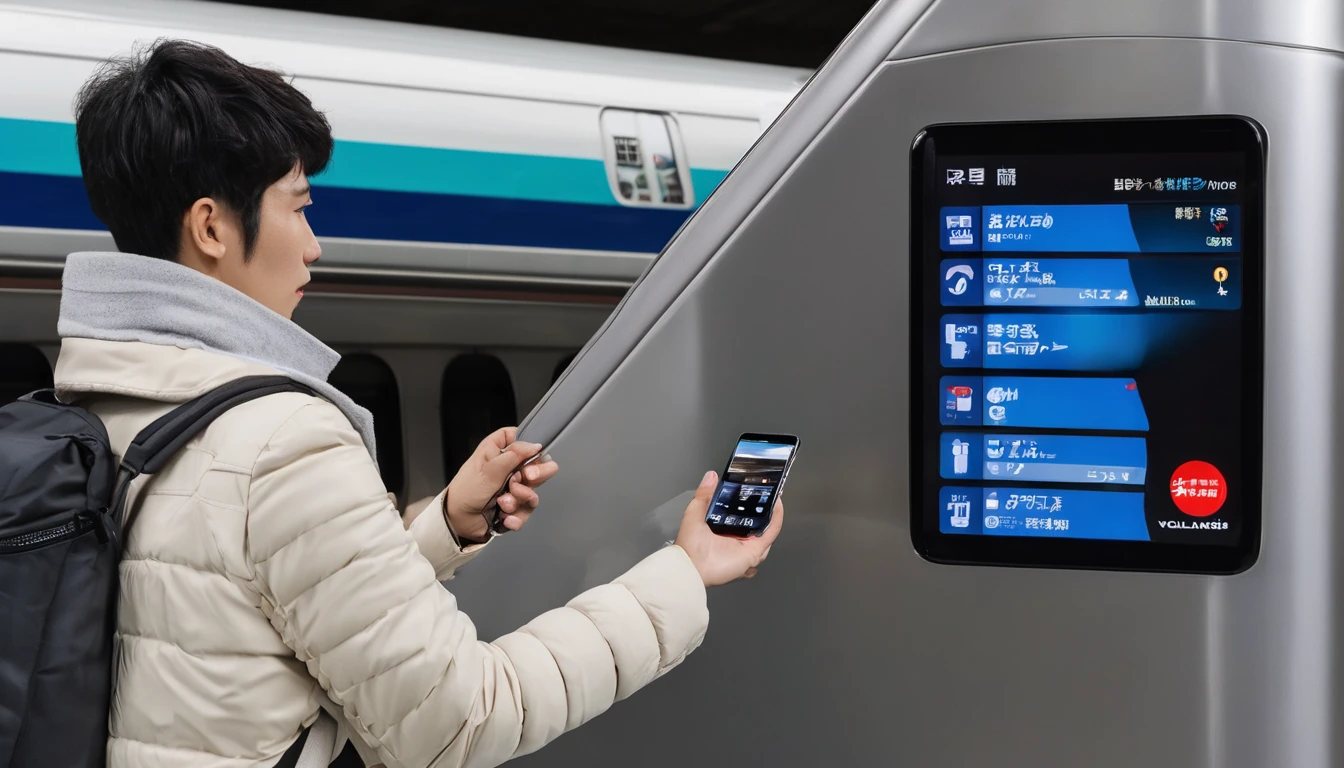
Why Japan Is One of the Best Countries for eSIM in 2026
Japan consistently ranks among the most eSIM-friendly destinations in Asia. The country's three major national networks blanket urban areas, bullet-train corridors, and even many rural onsen towns with fast 4G LTE and expanding 5G coverage. According to the GSMA's Mobile Economy 2025 report, eSIM-capable device shipments globally crossed 2 billion units in 2024 — meaning the vast majority of smartphones sold in the last three years support eSIM out of the box. For Japan-bound travelers, that translates to a genuinely frictionless setup: purchase a plan online, scan a QR code, and you're connected before the Narita Express pulls out of the station.
That said, Japan has a few quirks that catch travelers off guard: identity verification rules that differ between tourist eSIMs and locally-issued SIMs, data-only plans that require app-based calling, and network-specific coverage gaps in mountain areas. This guide covers all of it, updated for 2026.
Quotable stat: Japan's mobile penetration rate reached 87% of the population by early 2026, with 5G now available in all 47 prefectures (Ministry of Internal Affairs and Communications Japan, 2026).
Do You Need to Verify Your Identity for a Japan Tourist eSIM?
For most tourist-grade travel eSIMs — the kind you buy from an international provider before your trip — no Japanese identity verification is required. You purchase online, receive a QR code by email, and activate it yourself. There is no trip to a carrier store, no passport scan submitted to a Japanese authority, and no address registration needed.
The situation is different if you buy a SIM or eSIM directly from a Japanese carrier at the airport or in-store. Japan's Telecommunications Business Act requires carriers to confirm a customer's identity before issuing a SIM. For tourists, this typically means showing your passport at the point of sale. Some carriers have introduced eKYC (electronic Know Your Customer) flows that let you upload a passport photo via a smartphone app — a process that takes about five minutes but must be completed before the SIM activates.
What Is eKYC and Does It Apply to You?
eKYC is an electronic identity-verification process used by Japanese carriers when issuing SIMs or eSIMs directly to consumers. If you buy through a Japanese carrier's own app or website while in Japan, you'll likely encounter an eKYC step. You'll be asked to photograph your passport (or foreign residence card) and take a short selfie video. The system checks that the document is genuine and matches your face.
For travelers buying from an international travel eSIM provider before departure, this step doesn't apply — the provider handles compliance on their end, and no Japanese eKYC is required from you. This is one of the key practical advantages of using a travel eSIM for Japan rather than purchasing locally. For a deeper look at how this compares to buying a local SIM on arrival, see our Japan eSIM & Mobile Internet Guide (2026).
Tourist eSIM vs. Local Carrier eSIM: Identity Requirements at a Glance
| Feature | Tourist Travel eSIM | Japanese Carrier eSIM (local purchase) |
|---|---|---|
| Identity check required? | No (handled by provider) | Yes — passport + eKYC |
| Japanese address needed? | No | No (tourists exempt) |
| Where to buy | Online before travel | Carrier app/store/airport |
| Activation | QR code, pre-departure | App-based, on arrival |
| Voice calls included? | Rarely (data-only typical) | Often yes |
| Contract length | Days/weeks (flexible) | Varies |
| Typical tourist cost | $10–$30 for 7–15 days | ¥3,000–¥5,000 (~$20–$33) |
Can You Make Phone Calls with a Japan Tourist eSIM?
Most tourist eSIMs sold for Japan are data-only plans — they give you mobile internet but don't include a Japanese phone number or traditional cellular calling. This surprises some travelers, especially those used to SIM cards that include voice minutes. The good news is that for most travel purposes, data-only works perfectly fine.
How to Make Calls Without a Voice Plan
With a data connection, you can call anyone using internet-based (VoIP) apps:
- WhatsApp — voice and video calls to other WhatsApp users worldwide, free over data
- FaceTime — works on Apple devices; excellent quality over LTE
- Google Meet / Duo — cross-platform video and voice calls
- Skype — can call regular phone numbers internationally for a small per-minute fee
- Line — hugely popular in Japan; many local businesses and restaurants use it for reservations
The practical reality for most tourists is that WhatsApp and FaceTime cover 95% of calling needs. If you need to call a Japanese landline or mobile number that isn't on any messaging app — say, a hotel front desk or a local taxi company — Skype credits or Google Voice (for US users) handle that at low cost.
What If You Need a Japanese Phone Number?
A handful of scenarios genuinely require a Japanese phone number: some restaurant reservation systems (particularly high-end omakase spots that use SMS confirmation), certain delivery or rental services, and two-factor authentication codes sent via SMS. In these cases, your options are:
- Buy a voice-capable local SIM at the airport (IIJ, OCN Mobile, or similar — available at major international airports)
- Use a virtual Japanese number app like Skype or Google Voice for SMS
- Ask your hotel concierge — they can often receive calls or SMS on your behalf
For most travelers — especially those on a week-long sightseeing trip — a data-only eSIM paired with WhatsApp is all you need. If you're planning a longer stay or need to make local calls regularly, consider the India Travel eSIM vs Local SIM vs Roaming guide for a framework on deciding when a local SIM is worth the extra setup effort — the same logic applies to Japan.
Which Networks Do Japan eSIMs Run On?
Japan's mobile landscape is dominated by three national carriers. Understanding which network your eSIM uses matters because coverage profiles differ, particularly outside major cities.
NTT Docomo is Japan's largest carrier by subscriber count and has the widest rural and mountain coverage. If you're heading to places like the Japanese Alps, remote Tohoku villages, or hiking trails in Hokkaido, a plan on Docomo's network offers the best chance of staying connected.
SoftBank has strong urban and suburban coverage and is the network behind a significant share of tourist-facing eSIM products. Coverage in major cities — Tokyo, Osaka, Kyoto, Nagoya — is excellent.
au (KDDI) rounds out the big three with solid nationwide coverage and a rapidly expanding 5G footprint. In 2026, au's 5G network covers all prefectural capitals and most secondary cities.
Most international travel eSIM providers roam on one or more of these three networks. When comparing plans, check which underlying network is used — some providers are transparent about this, while others simply say "Japan's major networks."
5G Coverage: What Can You Actually Expect?
Japan's 5G rollout has been aggressive. As of 2026, 5G is available in all 47 prefectures, but meaningful 5G speeds (sub-6GHz and mmWave in dense areas) are concentrated in urban cores: the Tokyo Metropolitan Area, Osaka-Kobe-Kyoto corridor, Nagoya, Sapporo, Fukuoka, and Hiroshima. Rural towns and mountain areas will typically fall back to 4G LTE, which is still fast enough for maps, streaming, and video calls.
For practical travel use, the difference between 4G LTE and 5G is rarely noticeable. Downloading a Google Maps offline area, streaming music, or uploading photos to social media all work smoothly on 4G LTE at the speeds Japan's networks deliver.
Does Your Phone Work on Japan's Networks?
Japan's networks use frequency bands that are broadly compatible with modern unlocked smartphones from the US, UK, Europe, and Australia. The key bands to check:
- 4G LTE: Bands 1, 3, 19, 21, 28, 42 (Band 19 is critical for rural Docomo coverage)
- 5G (sub-6GHz): n77, n78, n79
Most flagship phones from Apple (iPhone XS and later), Samsung (Galaxy S20 and later), and Google (Pixel 4 and later) support the necessary bands. If you're using an older or budget Android device, check your phone's spec sheet against the bands above before purchasing a 5G plan — you may only get 4G LTE, which is fine for most needs.
Important: Your phone must be unlocked (not locked to your home carrier). If you're unsure, contact your carrier before traveling. Locked phones cannot use a foreign eSIM profile.
How Much Does a Japan eSIM Cost in 2026?
Japan eSIM pricing has become increasingly competitive. For a standard tourist trip of 7–14 days, you can expect to pay roughly:
- 3 GB / 7 days: $10–$15
- 5–10 GB / 10–15 days: $15–$25
- Unlimited (throttled after daily cap) / 15–30 days: $25–$40
These prices reflect the international travel eSIM market as of mid-2026. Locally purchased SIMs at Japanese airports tend to cost slightly more — typically ¥3,000–¥5,000 (~$20–$33) — and may include a voice number, which is useful if you need one.
How Much Data Do You Actually Need in Japan?
Japan is a highly connected country with free Wi-Fi widely available in convenience stores (7-Eleven, FamilyMart, Lawson), major train stations, most hotels, and many tourist attractions. This means your mobile data usage is lower than in destinations with sparse Wi-Fi infrastructure.
A rough guide:
| Usage Type | Daily Data Estimate |
|---|---|
| Maps + navigation only | ~150–300 MB/day |
| Maps + messaging + light social | ~300–600 MB/day |
| Maps + streaming music + social media | ~600 MB–1.2 GB/day |
| Video calls + streaming video | 1.5–3 GB/day |
For a 10-day trip with moderate use (maps, messaging, occasional photos), 5 GB is usually comfortable. If you plan to work remotely or stream video regularly, opt for 10 GB or an unlimited plan.
What Are the Best Situations to Use an eSIM in Japan?
An eSIM shines in Japan for several specific travel scenarios. It's the right tool when you want to hit the ground running — literally stepping off the plane at Narita, Haneda, Kansai, or Chubu airport and having data working before you've cleared customs.
Scenario 1: Arriving on a late-night flight. Airport SIM kiosks close or have limited hours. An eSIM activated before departure means you have Google Maps and your hotel address ready the moment you land, regardless of the time.
Scenario 2: Multi-city itinerary. Japan's Shinkansen network connects Tokyo, Kyoto, Osaka, Hiroshima, and beyond. An eSIM keeps you connected throughout, including on the bullet train (note: in-tunnel connectivity varies by network).
Scenario 3: Keeping your home number active. Because eSIMs work alongside your physical SIM (dual-SIM functionality), your home number stays reachable for banking 2FA, family calls, and anything else tied to your regular number. This is a major advantage over swapping to a local physical SIM — see our eSIM vs Physical SIM for Travel guide for a full breakdown.
Scenario 4: Traveling beyond Japan in the same trip. If your itinerary includes South Korea, Taiwan, or Southeast Asia before or after Japan, a regional Asia eSIM can cover multiple countries on one plan. Browse Asia travel data plans to see how regional plans compare to country-specific ones.
How Do You Set Up a Japan eSIM Step by Step?
Setting up a Japan eSIM is a five-minute process if you do it before you leave home. Here's exactly how it works:
Step 1: Check device compatibility Confirm your phone supports eSIM (Settings > General > About > Available SIM on iPhone; Settings > Network > SIM on Android). Also verify your phone is unlocked.
Step 2: Purchase your plan Choose a plan based on trip length and data needs. For a Japan-specific eSIM, Simology's Japan eSIM options let you filter by data size and duration.
Step 3: Receive and save your QR code After purchase, you'll receive a QR code by email. Save it to your phone's photos or print it — you can't scan a QR code with the same phone displaying it, so either use a second device or print it out.
Step 4: Scan the QR code On iPhone: Settings > Cellular > Add eSIM > Use QR Code. On Android: Settings > Network > SIM > Add eSIM > Scan QR Code. Follow the prompts to add the eSIM profile.
Step 5: Configure data settings Set the Japan eSIM as your "data SIM" while keeping your home SIM for calls and texts. On iPhone, go to Settings > Cellular > Cellular Data and select the Japan eSIM. Enable "Data Roaming" on the eSIM line if prompted.
Step 6: Activate on arrival (if required) Some plans activate automatically when you land in Japan and connect to a local network. Others activate immediately upon scanning. Check your provider's instructions — activation timing is usually stated clearly at purchase.
Common Setup Mistakes to Avoid
- Scanning the QR code twice: Each eSIM QR code is single-use. If you accidentally scan it on the wrong device or delete the profile, you'll need to contact your provider for a replacement.
- Forgetting to set data SIM: Your phone defaults to the primary SIM for data. If you don't manually switch, you'll burn through expensive roaming on your home plan.
- Buying after landing: You need an internet connection to purchase and receive the QR code. If you've already landed without one, use airport Wi-Fi — most major Japanese airports offer free Wi-Fi in the arrivals hall.
Does a Japan eSIM Work on the Shinkansen and in Rural Areas?
Coverage on Japan's Shinkansen (bullet train) is generally good but not perfect. On the Tokaido Shinkansen (Tokyo–Osaka), you'll have solid 4G LTE for most of the journey, with brief signal drops in tunnels — particularly the longer ones through mountain sections. The Hokuriku Shinkansen and some regional lines have more tunnel time and correspondingly more signal gaps.
For rural travel — think hiking in the Japanese Alps, visiting remote hot springs in Tohoku, or exploring the Noto Peninsula — coverage depends heavily on which network your eSIM uses. Docomo historically has the deepest rural penetration. If your eSIM roams on SoftBank or au, coverage in very remote areas may be patchier.
Practically speaking, the vast majority of tourist destinations in Japan — including popular "off the beaten path" spots like Shirakawa-go, Kanazawa, Yakushima, and the Izu Peninsula — have reliable 4G LTE coverage on all three major networks.
How Does Japan Compare to Other Asian Destinations for eSIM?
Japan sits in a strong position relative to other popular Asian destinations for eSIM usability. Here's a quick comparison for travelers planning a broader Asia trip:
| Destination | eSIM Availability | Tourist ID Required | Voice Calls | Typical Cost (7 days, 5GB) |
|---|---|---|---|---|
| Japan | Excellent | No (tourist eSIM) | Data-only typical | ~$15–$20 |
| South Korea | Excellent | No (tourist eSIM) | Data-only typical | ~$12–$18 |
| Thailand | Very good | No | Data-only typical | ~$10–$15 |
| Taiwan | Very good | No | Data-only typical | ~$10–$15 |
| India | Good | Yes (Aadhaar/passport) | Often included | ~$8–$12 |
| China | Limited | Yes | Restricted | ~$20–$35 |
Japan and South Korea are the easiest Asian destinations for eSIM setup — no in-country identity steps, wide device compatibility, and fast networks. If you're combining Japan with South Korea on the same trip, check out South Korea eSIM options for plans that cover both countries. Similarly, if Taiwan is on your itinerary, Taiwan eSIM plans are worth comparing against a regional Asia plan.
FAQ
Do I need to show my passport to activate a tourist eSIM for Japan?
If you buy a tourist travel eSIM from an international provider before your trip, you do not need to show your passport or complete any Japanese identity verification. The provider handles compliance on their end. You only need to present your passport if you purchase a SIM or eSIM directly from a Japanese carrier at an airport kiosk or store.
Can I make phone calls with a Japan eSIM?
Most tourist eSIMs for Japan are data-only and don't include a Japanese phone number or traditional voice minutes. You can make calls using internet-based apps like WhatsApp, FaceTime, Google Meet, or Skype over your data connection. If you need to call Japanese landlines or local businesses, Skype credits or Google Voice work well for low per-minute rates.
Which network does a Japan eSIM use?
Japan's three major networks are NTT Docomo, SoftBank, and au (KDDI). Most international travel eSIM providers route through one or more of these. Docomo has the widest rural coverage; SoftBank and au are excellent in cities. Check your provider's product page to confirm which network your specific plan uses.
How much data do I need for a week in Japan?
For a typical 7-day tourist trip with maps, messaging, and occasional social media, 5 GB is usually sufficient. Japan has widespread free Wi-Fi at convenience stores, train stations, and hotels, which reduces your mobile data consumption significantly. If you plan to stream video or work remotely, opt for 10 GB or an unlimited plan.
Can I use my eSIM on the Shinkansen?
Yes, your eSIM works on the Shinkansen, though you'll experience brief signal drops in tunnels. The Tokaido Shinkansen (Tokyo–Osaka) has the best coverage overall. Regional and mountain lines have longer tunnel sections with more frequent signal gaps. For most uses — maps, messaging, browsing — connectivity is reliable for the majority of any Shinkansen journey.
Does my phone need to be unlocked to use a Japan eSIM?
Yes, your phone must be unlocked (not tied to your home carrier) to use a foreign eSIM profile. If you're unsure whether your phone is unlocked, contact your carrier before traveling. Most phones purchased outright or fully paid off are unlocked; phones still on installment plans with a carrier may be locked.
What happens if I run out of data in Japan?
Most travel eSIM providers allow you to top up your data directly through their app or website. Some plans also throttle your speed (rather than cutting off entirely) once you hit the data cap, allowing continued use at reduced speeds. Check your provider's top-up policy before purchasing — it's useful to know your options before you need them mid-trip.
Is a Japan eSIM better than renting a pocket Wi-Fi router?
For solo travelers and couples, an eSIM is generally more convenient than a pocket Wi-Fi router — there's no device to carry, charge, or return at the end of your trip. Pocket Wi-Fi routers make more sense for groups of three or more sharing a connection, or for travelers with older devices that don't support eSIM. For a detailed comparison, see our eSIM vs Physical SIM for Travel guide.
Getting Connected: Key Takeaways for Japan 2026
Japan is one of the smoothest eSIM experiences you'll find anywhere in the world. Fast networks, wide device compatibility, no in-country identity hoops for tourist plans, and genuinely competitive pricing make eSIM the default smart choice for most travelers heading to Japan in 2026.
Here's the short version of everything covered above:
- Tourist eSIMs don't require Japanese identity verification — buy online, scan a QR code, done.
- Most plans are data-only — use WhatsApp, FaceTime, or Skype for calls.
- Japan's three major networks (Docomo, SoftBank, au) all deliver excellent urban coverage; Docomo leads in rural areas.
- 5 GB is enough for a typical week; go for 10 GB or unlimited if you're working remotely or streaming.
- Activate before you fly — it's simpler, and you'll be connected the moment you land.
- Your phone must be unlocked and support eSIM (most phones from 2021 onward do).
Whether you're chasing cherry blossoms in Kyoto, navigating Tokyo's subway system, or hiking in the Japanese Alps, a well-chosen eSIM keeps you connected without the cost or hassle of international roaming. Browse Japan eSIM plans on Simology to find the right data package for your trip.





