
Why Do International Visitors Need a Separate Data Plan for the USA?
International roaming in the United States is notoriously expensive. According to the GSMA's 2025 Mobile Economy report, the US remains one of the world's most expensive roaming destinations for travelers from Europe, Asia-Pacific, and Latin America — with per-MB charges from home carriers often translating to $10–$30 per day just for basic data access. That's a real problem when you're navigating Times Square, booking an Uber in Los Angeles, or trying to find your Airbnb in Chicago.
Here's the thing: it doesn't have to be that way. A dedicated US travel eSIM lets you tap into the same high-speed 4G LTE and 5G networks that American residents use — at a price that won't give you a heart attack when the bill arrives.
The USA also has some unique connectivity quirks worth knowing. The country runs on its own set of frequency bands, and coverage varies enormously between dense urban areas like New York or San Francisco and rural stretches of the Midwest or national parks. Choosing the right plan — and the right underlying network — makes a genuine difference to your experience on the ground.
What Exactly Is an eSIM, and How Does It Work in the USA?
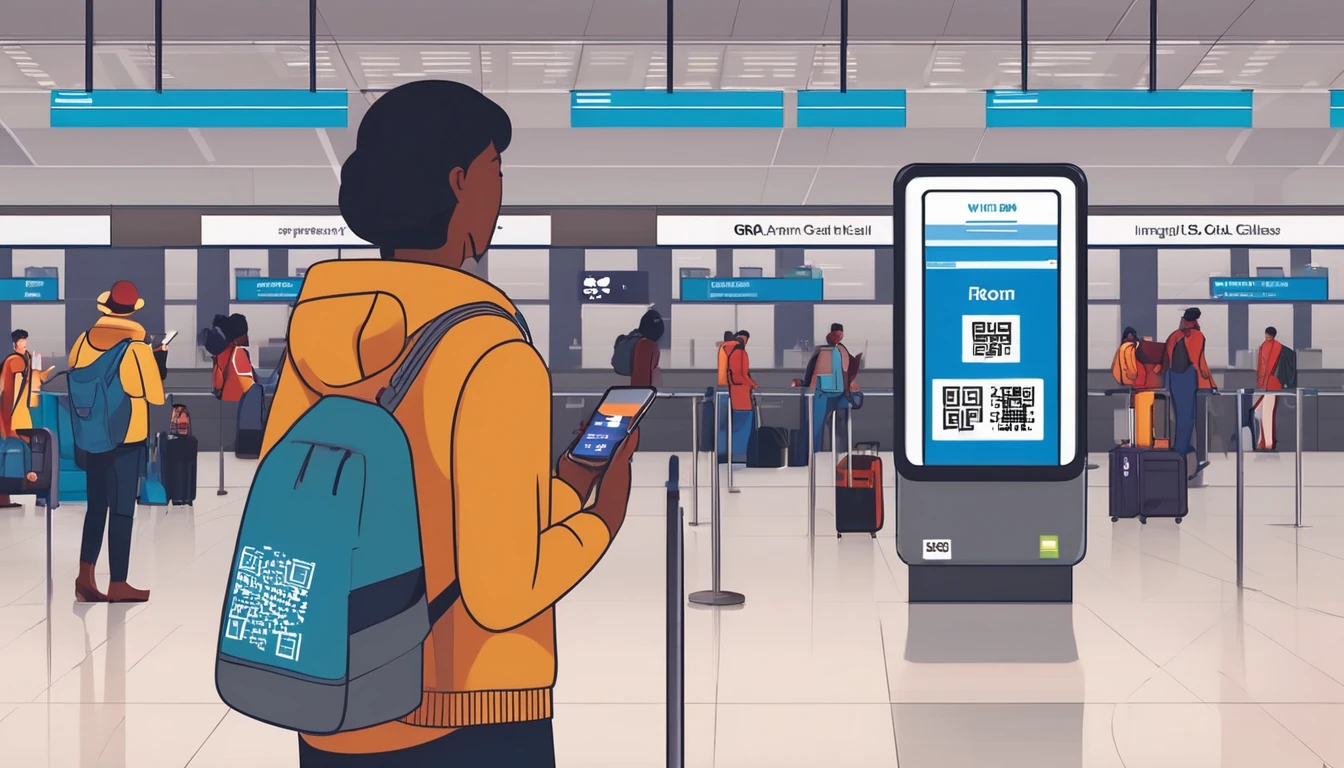
An eSIM (embedded SIM) is a digital SIM card built directly into your phone. Instead of physically swapping out a plastic card, you download a carrier profile via a QR code or an app. Your phone then connects to the network using that profile — no SIM tray, no tiny ejector tool, no fumbling around at the airport.
For travel to the USA specifically, this matters because:
- You can set everything up before you leave home. Buy your plan, scan the QR code, and the eSIM is installed — it just activates when you land and your phone picks up a US signal.
- Your home number stays active. With dual-SIM functionality, your original SIM keeps receiving calls and texts while the eSIM handles your data. You won't miss a verification code or a call from home.
- No physical SIM to lose or damage. US airports do sell prepaid SIMs, but the selection is limited and the prices are inflated.
The GSMA reports that eSIM-capable devices now account for the majority of flagship smartphones sold globally, meaning most travelers visiting the US in 2026 are already carrying a compatible device without realizing it.
Is My Phone Compatible with a US eSIM?
Most modern smartphones support eSIM, but there are a few compatibility points worth checking before you buy. The majority of flagship devices released from 2019 onward are eSIM-ready — here's a quick breakdown:
iPhones
- iPhone XS / XR and later all support eSIM.
- iPhone 14 and later (US models) are actually eSIM-only — Apple removed the physical SIM tray entirely for devices sold in the United States. If you're visiting from abroad with a non-US iPhone 14+, your phone has both a physical SIM slot and eSIM capability.
- For a full walkthrough of installing a travel eSIM on Apple hardware, see our iPhone eSIM setup abroad guide.
Android Devices
- Samsung Galaxy S20 and later (most regions) support eSIM. Note that some carrier-locked Samsung devices sold in certain markets have eSIM disabled at the firmware level.
- Google Pixel 3 and later fully support eSIM.
- Other Android flagships (OnePlus, Xiaomi, Motorola) — support varies by model and region. Check your phone's spec sheet under "SIM card type."
- For Android-specific setup steps, our iPhone vs Android eSIM setup comparison guide covers both platforms side by side.
One Important Note for Locked Phones
If your phone is carrier-locked to a home network, it may not accept a third-party eSIM profile. Check with your home carrier before your trip — most unlock phones after 12 months of service, and many unlock them for free upon request.
What Networks Does a US Travel eSIM Run On?
US network coverage is dominated by three major nationwide operators: T-Mobile, AT&T, and Verizon. Travel eSIM providers typically partner with one or more of these networks to deliver coverage across the country.
- T-Mobile has the largest 5G footprint in the US as of 2026, making it the strongest choice for urban travelers and those visiting major metros.
- AT&T offers excellent coverage in the South and along the coasts, with strong 4G LTE reach in suburban areas.
- Verizon historically leads in rural coverage and is often the best option for travelers heading into national parks, remote hiking areas, or less-populated states.
When choosing a US travel eSIM plan, it's worth checking which underlying network the plan uses — especially if your itinerary includes less-traveled areas. Most providers will list their network partner in the plan details.
How Much Does a US Travel eSIM Cost?
A US travel eSIM is significantly cheaper than international roaming — often by a factor of 10 or more. Typical pricing in 2026 looks like this:
| Data Amount | Validity | Approximate Price |
|---|---|---|
| 1 GB | 7 days | $5–$8 |
| 3 GB | 15 days | $12–$18 |
| 5 GB | 30 days | $18–$25 |
| 10 GB | 30 days | $28–$38 |
| Unlimited (throttled after threshold) | 30 days | $35–$55 |
Prices vary by provider and plan type. Data-only eSIMs (the most common for travelers) are cheaper than plans that include a US phone number. If you just need data for maps, messaging apps, and browsing, a data-only plan is all you need — your home number stays reachable via your physical SIM.
For context: according to research by the European Commission, before EU roaming reforms, European travelers were paying up to €30 per day in roaming charges in non-EU destinations like the USA. A 10 GB eSIM plan for a two-week US trip can cost less than a single day of traditional roaming.
Which eSIM Plan Is Right for My USA Trip?
The right plan depends on three things: how long you're staying, how heavily you use data, and where you're going. Here's a practical framework:
Short Trips (1–7 days)
A 1–3 GB plan is usually enough for a week if you're using your hotel or Airbnb WiFi for streaming and downloads. You'll burn through data quickly if you're using Google Maps constantly, so err on the side of 3 GB if you're moving between cities.
Medium Trips (1–3 weeks)
A 5–10 GB plan hits the sweet spot for most tourists. This covers daily navigation, social media, messaging, and occasional video calls without overpaying for data you won't use.
Long Stays or Digital Nomads (1 month+)
If you're working remotely or spending a month or more in the US, consider an unlimited plan — or look at whether a local prepaid SIM might make more sense for an extended stay. For travelers who split time between the US and neighboring countries like Canada or Mexico, a North America regional eSIM can cover all three countries under a single plan.
Heavy vs. Light Data Users
- Light users (maps, messaging, email): 1–3 GB per week
- Moderate users (social media, video calls, occasional streaming): 3–5 GB per week
- Heavy users (remote work, hotspot sharing, video streaming): 10 GB+ per week or unlimited
How Do I Set Up a US Travel eSIM? (Step-by-Step)
Setting up a travel eSIM for the USA takes less than five minutes once you have your QR code. Here's the full process:
Step 1: Purchase Your Plan
Buy your eSIM plan from a provider like Simology before your departure. You'll receive a QR code via email or in the provider's app.
Step 2: Install the eSIM Profile
On iPhone:
- Go to Settings → Cellular → Add eSIM
- Tap Use QR Code
- Scan the QR code from your confirmation email
- Follow the on-screen prompts to label the plan (e.g., "USA Travel")
On Android (Samsung example):
- Go to Settings → Connections → SIM Manager
- Tap Add eSIM
- Scan the QR code
- Confirm the installation
For a more detailed Android walkthrough, check our guide on setting up eSIM on Samsung Galaxy S24/S25.
Step 3: Configure Dual SIM Settings
Once installed, set your eSIM as the default for mobile data while keeping your physical SIM active for calls and texts. This way you get cheap US data while remaining reachable on your home number.
Our full dual SIM travel setup guide walks through every configuration option for both iPhone and Android.
Step 4: Timing — When Should You Activate?
You can install the eSIM days or even weeks before your trip — the profile sits dormant until your phone connects to a US network. However, some plans start their validity period from the moment of installation rather than first use, so check the terms carefully.
For a complete breakdown of activation timing strategy, see our guide on when to activate your eSIM before travel.
Step 5: Land, Connect, Go
When your flight lands at JFK, LAX, O'Hare, or wherever your US adventure begins, your phone will automatically connect to the partner network. No waiting in line at a SIM kiosk, no hunting for a store.
What Are the Best US States and Cities for eSIM Coverage?
Coverage in the US is excellent across major cities and well-traveled corridors, but it's worth understanding the landscape before you go.
Cities with Excellent Coverage
New York City, Los Angeles, Chicago, Houston, Miami, San Francisco, Seattle, Boston, and Washington D.C. all have dense 4G LTE and 5G coverage across all three major networks. You'll have no issues with any travel eSIM in these areas.
National Parks and Rural Areas
This is where coverage gets patchy. Grand Canyon, Yellowstone, Zion, and Great Smoky Mountains all have limited or no cellular coverage in large portions of the park. Download offline maps (Google Maps or Maps.me) before entering. The same applies to long stretches of rural highway across states like Montana, Wyoming, and North Dakota.
Road Trips
If you're doing a classic road trip — Route 66, the Pacific Coast Highway, or a cross-country drive — expect coverage gaps in the most remote sections. Verizon's network tends to have the widest rural reach, so if your eSIM plan runs on Verizon, you'll generally fare better in the backcountry.
Can I Use a US eSIM for Calls and Texts, Not Just Data?
Most travel eSIMs sold to international tourists are data-only plans, which is exactly what the majority of visitors need. Here's why that's usually fine:
- WhatsApp, FaceTime, and Telegram all work over data, so you can make free calls to anyone back home without needing a US phone number.
- Google Maps works over data for navigation.
- Ride-sharing apps (Uber, Lyft) and booking platforms (OpenTable, Resy) all work over data.
The only scenario where you'd want a US phone number is if you need to receive SMS verification codes from US-based services that don't support international numbers, or if you need to call US businesses that don't accept international dialing. In that case, look for a plan that includes a US number, or use a VoIP app like Google Voice.
US eSIM vs. Other Options: How Does It Compare?
Travelers visiting the USA have several connectivity options. Here's how they stack up:
| Option | Cost | Convenience | Coverage | Best For |
|---|---|---|---|---|
| Travel eSIM | $5–$55 | ⭐⭐⭐⭐⭐ | Excellent | Most tourists |
| International Roaming | $10–$30/day | ⭐⭐⭐⭐ | Varies | Very short trips |
| US Prepaid SIM (airport) | $30–$60 | ⭐⭐⭐ | Good | Longer stays |
| US Prepaid SIM (store) | $20–$50 | ⭐⭐ | Good | Budget-conscious |
| Pocket WiFi Rental | $8–$15/day | ⭐⭐ | Good | Groups / older devices |
A travel eSIM wins on convenience and value for the vast majority of international visitors. The only case where a physical prepaid SIM edges it out is for very long stays (2+ months) where a monthly unlimited plan from a US carrier might be marginally cheaper — but you'd need to visit a store in person and provide ID.
Are There Any Restrictions or Things to Watch Out For?
A few practical caveats worth knowing before you buy:
Hotspot / Tethering
Not all travel eSIM plans allow mobile hotspot use. If you plan to connect a laptop or tablet through your phone, confirm that tethering is included before purchasing. Some plans include hotspot at the same speed as regular data; others throttle it or prohibit it entirely.
Speed Throttling on Unlimited Plans
"Unlimited" plans almost always come with a fair-use threshold — typically 10–30 GB — after which speeds are reduced to 1–3 Mbps. This is fine for messaging and basic browsing but too slow for HD streaming or video calls. Read the fine print.
eSIM Deletion
Once you delete an eSIM profile from your phone, you generally can't reinstall it. If you need to do a factory reset or switch devices mid-trip, contact your provider first to arrange a reissue.
One eSIM Per Device Limit (Some Providers)
Most travel eSIM plans are single-device only and can't be transferred between phones. If you're traveling with a partner, you'll each need your own plan.
FAQ
Do I need a US phone number when visiting the USA with a travel eSIM?
No — the vast majority of international tourists get by perfectly well with a data-only eSIM. Apps like WhatsApp, FaceTime, and Google Meet handle voice and video calls over data, so you can stay in touch with people back home and locally without needing a US number. If you specifically need to receive SMS from US services, look for a plan that includes a US number.
Will my eSIM work as soon as I land at a US airport?
Yes, in most cases. As long as you've already installed the eSIM profile before your flight, your phone will automatically connect to the partner network once it detects a US signal — typically before you even reach the gate. Make sure airplane mode is turned off after landing and that mobile data is enabled for the eSIM line.
How many eSIMs can I have on my phone at once?
Most modern smartphones can store multiple eSIM profiles simultaneously — iPhones from XS onward support up to 8 stored eSIMs, and newer models (iPhone 13+) can run two eSIMs at the same time alongside a physical SIM. Android support varies by manufacturer. You can only have one eSIM active for data at a time, but you can switch between stored profiles in settings.
Can I top up or extend my US eSIM plan if I run out of data?
This depends on your provider. Many travel eSIM providers offer top-up options through their app or website, allowing you to add more data to your existing plan without buying a new one. Simology supports top-ups for most US plans — check the plan details at purchase to confirm this option is available.
What happens to my home SIM while I'm using a US eSIM?
Your home SIM stays active in your phone's physical SIM slot. You'll continue to receive calls and texts on your home number (though international roaming rates from your home carrier may apply for those calls). Mobile data will be routed through your US eSIM, keeping data costs low while your home number remains reachable.
Is a US travel eSIM cheaper than just using roaming from my home carrier?
Almost always, yes — often dramatically so. International roaming in the USA can cost $10–$30 per day with many home carriers, whereas a 10 GB travel eSIM for a two-week trip typically costs $28–$38 total. For a 14-day trip, that's a potential saving of $100–$400 compared to daily roaming add-ons.
Does a US eSIM work in Hawaii, Alaska, and US territories like Puerto Rico?
Hawaii and Alaska are covered by the same major US networks (T-Mobile, AT&T, Verizon), so a standard US travel eSIM will work there. US territories like Puerto Rico and the US Virgin Islands may or may not be included depending on the specific plan — check the coverage details before purchasing if your trip includes these destinations.
How do I know if my phone supports eSIM before I buy a plan?
On iPhone, go to Settings → General → About and scroll down — if you see an "Available SIM" or "EID" entry, your phone supports eSIM. On Android, go to Settings → About Phone and look for an EID number, or check your phone's official spec page. You can also dial *#06# on most Android devices — if an EID appears in the results, eSIM is supported.
The Bottom Line: Is a US Travel eSIM Worth It?
Absolutely. For international visitors to the United States, a travel eSIM is the single most convenient and cost-effective way to stay connected. You get instant connectivity from the moment you land, access to the same high-speed networks Americans use every day, and the peace of mind of knowing exactly what you're paying — no surprise roaming bills waiting when you get home.
The setup takes less than five minutes, works on virtually every modern smartphone, and gives you the flexibility to keep your home number active at the same time. Whether you're spending a week in New York, road-tripping through the national parks, or mixing business with pleasure across multiple US cities, a well-chosen eSIM plan removes connectivity from your list of travel worries entirely.
If you're planning a trip that extends beyond the US, Simology's United States eSIM page has current plan options, and our North America regional plans cover Canada and Mexico too — useful if your itinerary crosses borders.
Safe travels — and enjoy the connectivity.