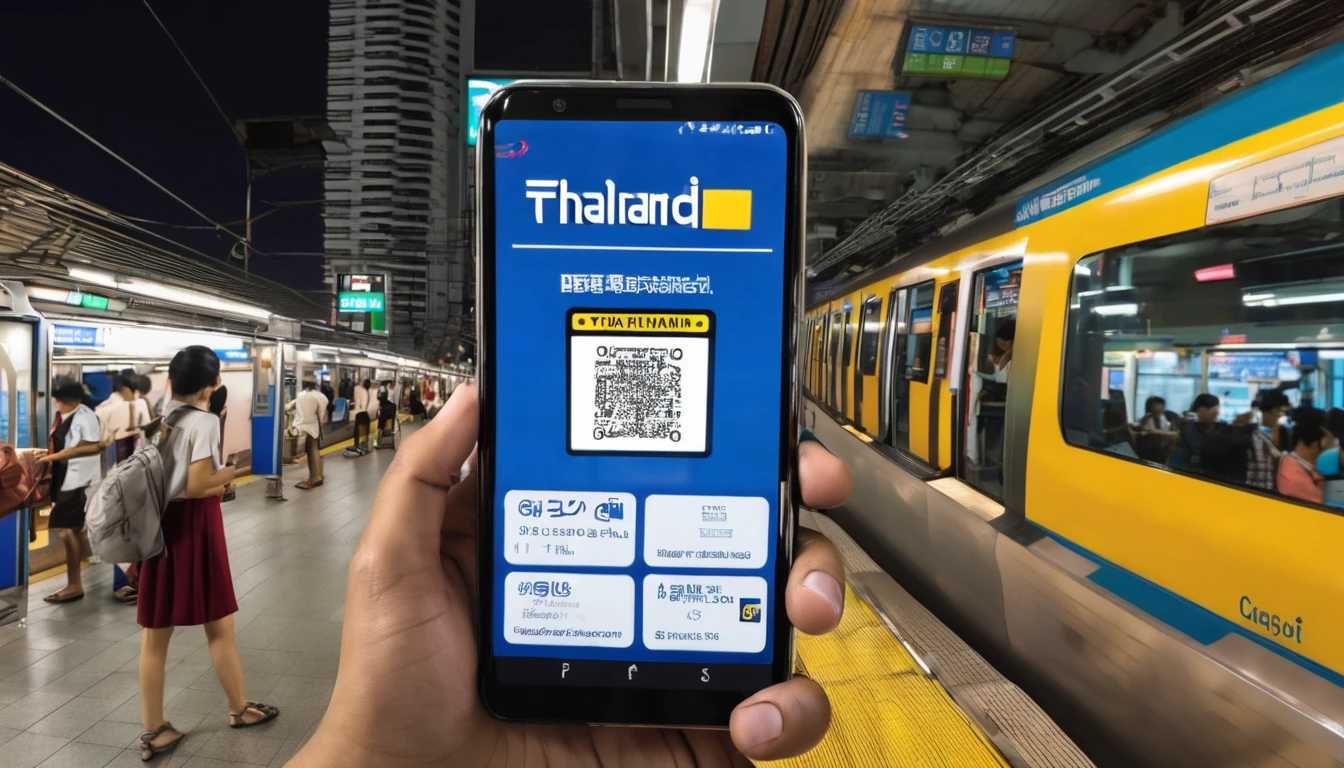
Why Your Phone Shows Signal But Has No Data
You've just landed in a new country, your travel eSIM activated successfully, and the status bar shows four bars of LTE — but nothing loads. No maps, no messages, no internet. This frustrating scenario plays out for thousands of travelers every year, and the culprit is almost always invisible: a misconfigured APN, a conflicting IMS setting, or a carrier services profile that hasn't updated correctly.
These aren't exotic technical failures. They're the hidden plumbing of your phone's mobile connection, and understanding them takes about five minutes. Once you do, you'll be able to diagnose and fix most mobile data problems yourself — no customer support queue required.
According to the GSMA, there are now more than 1.1 billion eSIM-capable devices in active use globally as of 2025, with that figure expected to surpass 2 billion by 2027. As eSIM adoption accelerates, more travelers are encountering these configuration quirks for the first time. This guide explains exactly what APN, IMS, and carrier services do, why they matter for travelers, and how to fix them when something goes wrong.
What Is an APN, and Why Does It Matter for Travel?
An Access Point Name (APN) is essentially a gateway address that tells your phone which network path to use when connecting to the internet. Think of it as a routing label: your device sends it to the cellular tower, the tower forwards your traffic to the correct data network, and the internet responds. Without a valid APN, your phone literally doesn't know where to send your data requests — even if the radio signal is perfect.
Every mobile network operator runs one or more APNs. A standard consumer data APN might look something like internet or broadband, while a carrier's MMS (picture messaging) APN is often a separate entry. When you use your home SIM at home, the APN is pre-configured and you never think about it. When you switch to a travel eSIM, the correct APN needs to arrive with the eSIM profile — and occasionally it doesn't, or it gets overridden by a leftover setting from your previous SIM.
What Does a Correct APN Entry Look Like?
A complete APN entry typically includes:
- Name: A label you choose (e.g., "Travel Data")
- APN: The actual gateway string (e.g.,
internet,data.provider.com) - Proxy / Port: Usually blank for modern LTE/5G connections
- Username / Password: Required by some operators; often blank
- MCC / MNC: Mobile Country Code and Mobile Network Code — identifies the specific operator
- APN Type:
default,suplfor data;mmsfor picture messaging;imsfor VoLTE
Getting the APN type wrong is one of the most common causes of partial connectivity — where web browsing works but iMessage, WhatsApp calls, or MMS fail.
How Do APNs Work With eSIMs?
When you download a travel eSIM profile (via QR code or app), the profile is supposed to include the correct APN automatically. On most modern devices running iOS 16+ or Android 12+, this works seamlessly. However, several edge cases can break it:
- Dual-SIM conflicts: Your physical SIM's APN settings can sometimes bleed into the eSIM's data path, especially on Android devices where the default data SIM assignment isn't locked.
- Carrier restrictions: Some devices purchased from specific carriers are "APN-locked," meaning the APN field is grayed out and can't be edited manually. This is more common on older carrier-branded Android handsets.
- Profile corruption: Rarely, an eSIM profile downloads incompletely, leaving the APN blank or malformed.
For travelers heading to destinations like Japan or Australia, where network infrastructure is highly advanced but operator configurations can be strict, getting the APN right from the start saves significant frustration.
What Is IMS, and How Does It Affect Calls and Texts Abroad?
IMS (IP Multimedia Subsystem) is the framework that enables voice calls, video calls, and SMS to travel over your data connection rather than the old circuit-switched voice network. In practical terms, IMS is what powers VoLTE (Voice over LTE) and VoWiFi (Voice over WiFi) — the technologies that give you HD-quality calls and the ability to call over WiFi when cellular signal is weak.
IMS isn't a single setting you toggle. It's a suite of configurations embedded in your carrier profile that tells your device how to handle multimedia sessions over IP. When IMS is correctly configured, your calls and texts route through the data network seamlessly. When it's missing or misconfigured on a travel eSIM, you may find that:
- Calls drop immediately after connecting
- SMS messages send but never arrive
- VoLTE is unavailable even on a 4G/5G network
- Your phone falls back to 2G/3G for voice (or fails entirely on networks that have sunset 2G/3G)
Why IMS Matters More Than Ever in 2026
This is increasingly critical: many major networks have completed or are completing their 2G and 3G shutdowns. Australia's 3G network was shut down in 2024. The UK's major operators completed 3G sunset in 2024–2025. In the United States, 2G and 3G on the major national networks are already gone. If your travel eSIM doesn't support VoLTE (which requires correct IMS configuration), you may have no voice call capability at all on these networks — not just degraded quality.
The GSMA's network sunset tracker documents which networks have already retired legacy standards. As of mid-2026, over 60 countries have completed or formally scheduled 3G shutdowns, making IMS/VoLTE support a non-negotiable feature for any travel eSIM, not a nice-to-have.
The IMS APN: A Separate Entry You Might Not Know About
Many travelers don't realize that VoLTE requires its own dedicated APN entry with the type set to ims. This is separate from your regular data APN. On a well-configured eSIM profile, this entry is included automatically. On a poorly configured one — or one that's been partially corrupted — it may be missing, which is why VoLTE fails even when data works fine.
On iPhone, you can check whether IMS is active by dialing *#5005*7672# (though this varies by carrier and iOS version). On Android, the IMS registration status is often visible under Settings > About Phone > Status > IMS Registration Status, though the exact path varies by manufacturer.
What Are Carrier Services, and Why Do They Update Automatically?
Carrier Services (sometimes called "carrier settings" on iPhone or "carrier services app" on Android) is the layer of software that bridges your device's operating system with the specific requirements of the network you're on. It includes configurations for:
- VoLTE and VoWiFi capability flags
- SMS and MMS routing
- Network band preferences
- Wi-Fi calling settings
- Emergency alert configurations
On iPhone, carrier settings arrive as small OTA (over-the-air) update packages — you've probably seen the "Carrier Settings Update Available" popup. These updates are pushed by Apple in coordination with operators and typically install in seconds. On Android, the equivalent is often handled by the Google Carrier Services app (on Pixel and many other Android devices), which updates silently in the background via the Play Store.
Why Carrier Services Updates Matter for eSIM Users
When you install a travel eSIM, your device may need an updated carrier services profile to correctly support that operator's network. If the update doesn't arrive automatically (which can happen if you're already offline or the update is pending), you may experience:
- Missing VoLTE toggle in settings
- Data working but calls failing
- Incorrect network band selection (connecting to a weaker band when a better one is available)
- Wi-Fi calling unavailable
The fix is usually straightforward: connect to WiFi, check for carrier settings updates (on iPhone: Settings > General > About — a prompt appears automatically if an update is available), or update the Google Carrier Services app via the Play Store on Android.
How Do These Three Settings Interact?
Understanding APN, IMS, and carrier services in isolation is useful — but the real insight is how they work together as a system. Here's a simplified view:
| Layer | What It Controls | Common Travel Problem |
|---|---|---|
| Carrier Services | Device-level network capabilities (VoLTE flag, band config) | VoLTE toggle missing; wrong bands selected |
| IMS APN | Voice/video call routing over LTE/5G | Calls drop; SMS fails; VoLTE unavailable |
| Data APN | Internet traffic routing | No data despite full signal |
When you install a travel eSIM, all three layers need to be correctly configured. A well-built eSIM profile handles this automatically. The problems arise at the edges: older devices, carrier-locked phones, dual-SIM conflicts, or partially downloaded profiles.
Think of it this way: Carrier Services sets the rules of the game, IMS handles the voice/multimedia plays, and the Data APN moves the internet traffic. If any one of them is wrong, the whole system underperforms.
How Do You Fix APN Settings on iPhone and Android?
Fixing APN and related settings differs significantly between iOS and Android. Here's a practical, step-by-step breakdown for both platforms.
Fixing APN Settings on iPhone
Apple restricts direct APN editing on iPhones — you can't manually type in an APN on most carrier-locked or recent iOS versions. Instead, APN configuration is delivered via carrier profiles or configuration profiles. Here's what to do if your data isn't working:
- Check for a carrier settings update: Go to Settings > General > About. If an update is available, a popup will appear within a few seconds. Tap "Update."
- Remove and reinstall the eSIM: Go to Settings > Cellular > [your eSIM plan] > Remove Cellular Plan. Then reinstall via the original QR code or app. This forces a fresh profile download.
- Install a configuration profile: Your eSIM provider may supply a
.mobileconfigfile (via email or their app) that installs the correct APN automatically. This is the standard method for iPhones when manual editing isn't available. - Toggle Airplane Mode: Sometimes a simple Airplane Mode cycle (on for 10 seconds, then off) forces the device to re-register with the network and pick up the correct APN.
- Reset Network Settings: As a last resort, Settings > General > Transfer or Reset iPhone > Reset > Reset Network Settings. Note: this erases all saved WiFi passwords.
Fixing APN Settings on Android
Android gives you more direct control. The exact path varies by manufacturer, but the general route is:
- Go to Settings > Connections > Mobile Networks > Access Point Names (Samsung) or Settings > Network & Internet > SIMs > [your eSIM] > Access Point Names (stock Android/Pixel).
- If the APN list is empty or incorrect, tap the + icon to add a new entry.
- Enter the APN details provided by your eSIM provider (Name, APN string, APN Type at minimum).
- Save and select the new APN as the active one.
- Restart your device.
If the APN fields are grayed out and uneditable, your device may be APN-locked by your home carrier. Contact your carrier to unlock it, or check if a software update resolves the restriction. This is a known issue with some older carrier-branded Samsung and Motorola devices — something worth checking before you travel, as covered in our Samsung Galaxy M53 eSIM support guide.
What Should You Check Before Traveling to Avoid These Problems?
The best fix is prevention. Running through a short checklist before you leave eliminates 90% of the APN/IMS/carrier services issues travelers encounter abroad.
At least 48 hours before departure:
- Update your phone's OS: iOS and Android updates frequently include carrier profile improvements and IMS fixes. Don't travel on a stale OS version.
- Update Google Carrier Services (Android): Open the Play Store, search "Carrier Services," and tap Update if available.
- Install your eSIM in advance: Don't wait until you land. Install the eSIM at home while you have WiFi, verify the APN is populated correctly, and confirm data works before you board.
- Check VoLTE support: In your cellular settings, verify that VoLTE is enabled for your travel eSIM. If the toggle doesn't appear, your carrier services profile may need updating.
- Note your eSIM provider's APN string: Save it in your notes app. If something goes wrong abroad, you'll have it ready without needing internet access to look it up.
Device compatibility matters too. Not all phones support eSIM, and not all eSIM-capable phones support VoLTE on every network. If you're traveling to Southeast Asia or Europe, check that your device supports the LTE bands used in your destination — Band 28 (700 MHz) is critical for rural coverage in Australia and New Zealand, while Band 3 (1800 MHz) is dominant across Europe.
Does a Travel eSIM Configure These Settings Automatically?
A well-designed travel eSIM profile should handle APN, IMS, and carrier services configuration automatically — and for most users on modern devices, it does. When you scan a QR code and the eSIM installs, the profile includes all the necessary APN entries, IMS configuration, and network preferences baked in.
The reality is that automatic configuration works reliably on:
- iPhones running iOS 16 or later
- Google Pixel phones on Android 12 or later
- Samsung Galaxy flagships on One UI 4.0 or later
It works less reliably on:
- Older devices (pre-2020 flagships)
- Carrier-locked handsets with APN restrictions
- Devices that haven't been updated in 12+ months
- Phones with conflicting APN entries from a previous SIM
The 3GPP standards body, which defines the technical specifications for LTE and 5G, has progressively tightened eSIM profile requirements with each release — meaning newer profile formats (SGP.22 v3.x and beyond) carry more configuration data automatically. But the installed base of older devices means edge cases persist.
One practical tip: after installing your eSIM, open a browser and load a webpage before you leave home. If it loads, your APN is configured correctly. If it doesn't, troubleshoot while you still have WiFi — not after you've landed in a new time zone.
APN vs. IMS vs. Carrier Services: Quick Comparison
| Setting | Where to Find It | What Breaks Without It | Auto-Configured by eSIM? |
|---|---|---|---|
| Data APN | Cellular > APNs | All internet traffic | Yes (usually) |
| MMS APN | Cellular > APNs | Picture messages | Yes (usually) |
| IMS APN | Cellular > APNs | VoLTE, video calls, SMS over LTE | Sometimes missing |
| Carrier Services | iOS: Settings > General > About / Android: Play Store app | VoLTE toggle, band selection, Wi-Fi calling | Requires update prompt |
| VoLTE Flag | Set by Carrier Services profile | HD voice calls on LTE/5G | Requires correct carrier profile |
FAQ
Why does my eSIM show signal but have no internet connection?
This almost always means the APN is missing or incorrectly configured. Your phone has successfully registered on the network (hence the signal bars), but it doesn't know how to route data traffic without a valid APN. Check your APN settings under your cellular/mobile network menu, or reinstall the eSIM profile to force a fresh configuration download.
Can I manually edit APN settings on an iPhone?
On most iPhones, the APN fields are locked and can't be edited directly — Apple and carriers control this via carrier profiles and configuration files. If you need to change your APN on an iPhone, your eSIM provider should supply a configuration profile (a .mobileconfig file) that installs the correct settings automatically. You can also try going to Settings > General > About to trigger a carrier settings update.
What is VoLTE and do I need it for my travel eSIM to work?
VoLTE (Voice over LTE) routes phone calls over the 4G/5G data network instead of the old 2G/3G voice network. In 2026, it's increasingly essential — many countries including Australia, the UK, and the US have shut down their 3G networks, meaning a travel eSIM without VoLTE support may leave you unable to make calls at all. Always confirm your travel eSIM supports VoLTE before you depart.
Why did my VoLTE stop working after I installed a travel eSIM?
Installing a new eSIM can sometimes cause your device to lose its VoLTE configuration, especially if the new carrier profile doesn't include IMS settings. Try updating your carrier settings (iOS: Settings > General > About; Android: update the Google Carrier Services app via Play Store), toggling Airplane Mode, or removing and reinstalling the eSIM profile. If VoLTE still doesn't appear, contact your eSIM provider — they may need to push an updated profile.
What is the difference between APN and carrier settings?
The APN is a specific configuration value that tells your phone which gateway to use for data traffic. Carrier settings (or carrier services) is a broader package of configurations that includes the APN plus VoLTE flags, band preferences, Wi-Fi calling settings, and more. Think of carrier settings as the full rulebook, and the APN as one specific rule within it.
Do I need to change APN settings when switching between countries?
If you're using a single-country eSIM, you'll need a new eSIM (with its own APN) for each country. If you're using a regional or multi-country eSIM plan, the APN is typically set up to work across all covered countries automatically — the network handles roaming in the background. You shouldn't need to change the APN manually as you cross borders with a regional plan.
What does "IMS not registered" mean on my Android phone?
"IMS not registered" in your phone's status menu means your device hasn't successfully connected to the IMS framework on the current network — VoLTE and Wi-Fi calling won't work. This is usually caused by a missing IMS APN entry, an outdated carrier services profile, or a network that doesn't support VoLTE for your eSIM's profile type. Try updating Google Carrier Services, toggling Airplane Mode, or reinstalling your eSIM profile.
How do I find the correct APN settings for my travel eSIM?
Your eSIM provider should include APN details in their setup guide, confirmation email, or app. If you can't find them, check the provider's website or contact their support — most have live chat. Save the APN string in your phone's notes before you travel so you can enter it manually if needed, even without an internet connection.
Getting It Right Before You Go
APN, IMS, and carrier services aren't glamorous topics — but they're the difference between landing in a new country with instant, reliable connectivity and spending your first hour troubleshooting a blank browser screen. The good news is that for the vast majority of travelers on modern devices with a quality travel eSIM, these settings configure themselves automatically and you'll never need to think about them.
For everyone else — older devices, carrier-locked phones, or anyone who's ever muttered "why isn't my data working?" at an airport — knowing what these settings do and how to fix them is genuinely useful knowledge. Run the pre-travel checklist, install your eSIM at home, verify data loads before you board, and save your APN string just in case.
Connectivity problems abroad are almost always solvable. And now you have the knowledge to solve them yourself.