
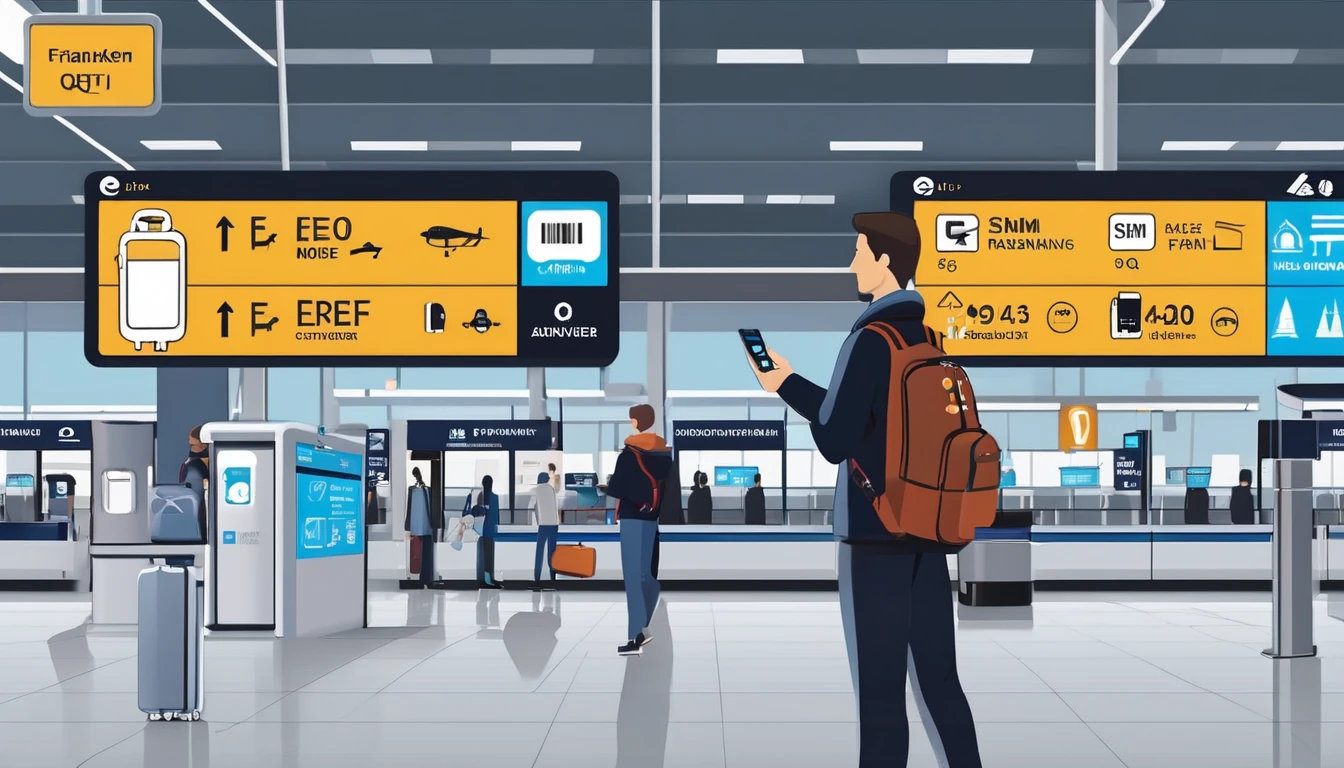
Germany eSIM & Mobile Internet Guide (2025): Coverage, FUP, Airport Steps

Blog

Germany eSIM & Mobile Internet Guide (...

Germany eSIM & Mobile Internet Guide (2025): Coverage, FUP, Airport Steps

30 Oct 2025

Germany eSIM & Mobile Internet Guide (2025): Coverage, FUP, Airport Steps

Planning data for Germany in 2025? This guide shows you how to pick the right eSIM, get online at Frankfurt (FRA) and Munich (MUC) in minutes, and stay connected on busy ICE train corridors. Germany has some of Europe’s strongest 4G and fast-expanding 5G networks, but performance varies by carrier, region and even by train window tint. We’ll cover which networks typically deliver the best speeds, what to expect on long‑distance trains, and how EU Fair Use Policy (FUP) affects roaming if you’re crossing borders. If you’re moving through Western Europe, we’ll also flag when a regional plan beats a local one. Ready to travel? Head to our Destinations page to view Germany eSIM options, or keep reading for practical, step‑by‑step advice.

Quick Take: Is an eSIM right for Germany?

  • Coverage: Excellent 4G nationwide; 5G strong in cities and along major transport corridors.
  • Best networks: Telekom (widest/fastest), Vodafone (strong urban/suburban), O2/Telefónica (good value, improving).
  • Trains: Expect intermittent drops in tunnels and rural stretches; choose Telekom or Vodafone for steadier coverage on main ICE routes.
  • EU travel: If you’ll visit France, Italy or Spain on the same trip, consider a regional plan like Esim Western Europe rather than a Germany‑only eSIM.
  • Airport setup: You can install and activate within 2–3 minutes on free airport Wi‑Fi at FRA or MUC.

Networks and Coverage: What to expect in 2025

Germany’s three major networks are:

  • Telekom (Deutsche Telekom)
  • Vodafone
  • O2/Telefónica Germany

What you’ll likely see on a quality travel eSIM that supports 4G/5G:

  • Cities (Berlin, Munich, Frankfurt, Hamburg, Cologne, Düsseldorf, Stuttgart): 5G widely available on Telekom and Vodafone, increasingly on O2. Typical speeds:
  • Telekom 5G: 150–500 Mbps in strong cells; 4G 40–150 Mbps.
  • Vodafone 5G: 100–300 Mbps; 4G 30–120 Mbps.
  • O2 5G: 60–200 Mbps; 4G 20–80 Mbps.
  • Suburban/regional towns: 4G is solid; 5G more variable. Expect 20–120 Mbps.
  • Rural/remote: Coverage is broad on 4G but speed can drop below 20 Mbps. Black Forest valleys, Eifel, Harz, some Bavarian Alps and Mecklenburg‑Western Pomerania have patchier signal.
  • Indoors: Modern offices and trains use coated glass that weakens signal. In trains, choose carriages with repeater icons or sit near doors.

Pro tips: - If 5G handovers feel “sticky” while moving at speed, lock to 4G/LTE for stability (you’ll still stream HD). - Use Wi‑Fi calling when indoor coverage is marginal.

Train Corridor Coverage: ICE routes that matter

Germany’s ICE network is fast but demands a smart mobile setup. Here’s what to expect:

Stronger corridors (best chance of steady 4G/5G): - Berlin–Hamburg - Berlin–Munich via Leipzig/Erfurt (VDE 8 high‑speed route) - Frankfurt–Cologne high‑speed line - Munich–Nuremberg high‑speed line - Rhine‑Ruhr mesh (Cologne–Düsseldorf–Duisburg–Dortmund–Essen) - Hamburg–Bremen–Hanover

More variable segments: - Sections through long tunnels (Thuringian Forest on Berlin–Munich; Siegburg/Montabaur area on Frankfurt–Cologne) - Rural stretches in Bavaria, Brandenburg and Mecklenburg - Alpine approaches south of Munich

On‑train realities: - Deutsche Bahn’s ICE Wi‑Fi aggregates multiple mobile networks but can slow at peaks. - Windows attenuate signal; modern sets use signal‑permeable panes, but older stock still weakens reception.

Train pro tips: - Sit near carriage doors or under the repeater symbol for stronger signal. - Prefer Telekom or Vodafone networks if your eSIM lets you choose; they generally perform best along main lines. - Toggle “4G/LTE only” if 5G causes frequent dropouts at 250–300 km/h. - Download offline maps/playlists before boarding; set apps to “data saver”.

Germany only or regional? Picking the right plan

Choose a Germany‑only eSIM if: - Your trip is entirely within Germany and you want the best in‑country rates.

Choose a regional eSIM if: - You’re visiting neighbouring countries on the same itinerary. For example: - Germany + France: see Esim France - Germany + Italy: see Esim Italy - Germany + Spain: see Esim Spain - Multi‑country: see Esim Western Europe

Business travel across multiple markets? Centralise with pooled or multi‑line bundles via For Business. Partners and TMCs can explore co‑branded or embedded flows in our Partner Hub.

EU FUP explained: How Fair Use affects roaming

If your plan includes EU/EEA roaming: - Roam‑like‑at‑home: You can use your plan across EU/EEA without extra charges, subject to Fair Use. - Roaming data cap: Your roamable data may be lower than your domestic allowance. Providers clearly state this cap (e.g., “20 GB in EU”). Once you hit it, speed may reduce or you may pay a small surcharge. - Long‑term roaming checks: If you spend more time roaming than at “home” over a rolling 4‑month window, some providers can apply a small surcharge after warning you. - Tethering: Usually allowed; intensive hotspotting could be rate‑limited by some plans. - Wholesale caps: EU cost caps continue to fall through 2030, helping keep retail roaming fair, but they don’t guarantee unlimited roaming data.

If you buy a Germany‑only eSIM: - It may not roam outside Germany unless the plan states EU coverage. If you plan cross‑border trains (e.g., Munich–Salzburg or Cologne–Brussels), choose an EU‑enabled or regional plan.

Device compatibility and setup basics

Compatible phones: - Apple: iPhone XR/XS and newer support eSIM; iPhone 14+ in some regions are eSIM‑only. - Samsung: Galaxy S20/S20+ and newer (incl. Fold/Flip lines) with eSIM variant. - Google: Pixel 4 and newer. - Others: Many recent Android flagships support eSIM; check your exact model/region.

Before you fly: - Update iOS/Android. - Unlock your device from any carrier lock. - Add a payment card for app stores if you’ll install via app. - Download offline maps and transport tickets just in case.

How to get online at Frankfurt (FRA) and Munich (MUC)

You can install and activate your eSIM in 2–3 minutes using airport Wi‑Fi.

FRA: Step‑by‑step on arrival

  1. Enable Airplane Mode, then turn Wi‑Fi back on.
  2. Join “Frankfurt Airport” free Wi‑Fi (follow the on‑screen portal).
  3. Open your eSIM email or app. Have your QR code ready (screenshot/printout helps).
  4. iOS: Settings > Mobile Data > Add eSIM > Use QR code. Android: Settings > Network & Internet > SIMs > Add eSIM.
  5. Label the line “Germany eSIM”. Set “Mobile Data” to the new eSIM; keep your home SIM for calls if needed.
  6. Turn on Data Roaming for the eSIM.
  7. Enter the APN if prompted (use the APN provided in your activation email).
  8. Toggle Airplane Mode off. Wait 30–60 seconds for signal.
  9. Test with a speed check or map load.

MUC: Step‑by‑step on arrival

  1. Airplane Mode on; Wi‑Fi on.
  2. Connect to “Munich Airport” Wi‑Fi (free, no time limit).
  3. Add the eSIM via QR/app as above.
  4. Data line = eSIM; Voice line = your preference.
  5. Enable Data Roaming; add APN if prompted.
  6. Toggle Airplane Mode off; confirm 4G/5G icon appears.
  7. Test navigation to your hotel or S‑Bahn route.

Airport tips: - If activation stalls, restart the phone and re‑enable the eSIM line. - Move nearer terminal windows for better initial signal. - Need a backup? Airport Wi‑Fi is reliable for calls/messages via apps until mobile data is live.

Optimising performance in cities and on trains

  • Prefer 5G where strong; otherwise lock to LTE for smoother handoffs while moving.
  • Disable “Low Data Mode/Data Saver” once you’re stable to allow background syncs.
  • Hotspotting works well for laptops; expect 10–50 Mbps on 4G in most urban areas.
  • Use messaging apps with offline queues for tunnels (WhatsApp/Teams).
  • Download Bahn tickets to Apple/Google Wallet for offline inspection.

Crossing borders by rail or road

  • Network switching: Your phone should automatically register on partner networks as you enter France, Italy, Austria, or the Netherlands. If not, manually select a major carrier in Settings.
  • APN: Usually unchanged across EU on a regional plan. If you move from a Germany‑only eSIM to another country, verify that your plan includes EU roaming.
  • Popular multi‑country routes:
  • Munich–Salzburg/Vienna (Austria)
  • Cologne–Brussels/Amsterdam
  • Berlin–Prague
  • If your trip spans several countries, compare regional packs on Esim Western Europe. City‑hopping to Paris, Milan or Barcelona? Also see Esim France, Esim Italy and Esim Spain.

Troubleshooting checklist

  • No service after install:
  • Confirm Data Line = eSIM; Data Roaming = On.
  • Restart the device.
  • Manually select Telekom/Vodafone/O2 in Network Selection.
  • Re‑enter APN from your activation email.
  • Slow speeds:
  • Move near a window; turn off VPN.
  • Lock to 4G/LTE on trains for stability.
  • Try another network if available.
  • Can’t scan QR:
  • Use the activation code via “Enter details manually”.
  • Install from the provider app over Wi‑Fi.

FAQ

1) Which network is best for coverage and speed in Germany?
Telekom generally leads for both coverage and peak speeds, especially in cities and along major ICE lines. Vodafone is close behind with strong urban/suburban performance. O2/Telefónica has improved rapidly and offers good value, but rural coverage can be patchier.

2) Will my Germany eSIM work elsewhere in the EU?
Only if the plan includes EU roaming or you choose a regional product. Germany‑only plans may be restricted to Germany. For multi‑country trips, consider Esim Western Europe.

3) How does EU Fair Use (FUP) affect me?
With EU‑enabled plans you can roam across the EU/EEA at domestic‑like rates, but providers often set a roaming data cap (e.g., a subset of your total data). Extended roaming without time in the “home” country over several months can trigger a small surcharge after warning.

4) Can I hotspot my laptop from a travel eSIM?
Yes—tethering is supported on modern eSIM‑capable devices. Watch your data usage if you run updates or cloud syncs. On 4G/5G in cities, 10–100+ Mbps is typical; on trains it varies more.

5) How do I ensure stable data on high‑speed trains?
Sit near doors or in carriages with repeater symbols, cache maps offline, and consider setting your phone to LTE only to reduce 5G handover interruptions at 250–300 km/h. Telekom and Vodafone tend to be more consistent along main corridors.

6) I’m flying in from North America—anything special to know?
Most recent iPhones, Pixels and Galaxy devices from the US/Canada work fine in Europe. Ensure they’re carrier‑unlocked and support European bands. Planning onward travel? See Esim United States for trips in the other direction or Esim North America for broader regional coverage.

Final tips before you go

  • Save your eSIM QR code offline (PDF/screenshot) and print a backup.
  • Keep your home SIM active for calls/SMS 2FA while using eSIM for data.
  • Turn on Wi‑Fi Calling for clearer indoor calls.
  • Monitor usage in Settings; set alerts at 80% and 100% of your allowance.

Next step: Compare Germany plans and regional options on our Destinations page and pick the eSIM that matches your route and data needs.

Read more blogs

EU Long Stays: Fair‑Use for Nomads & Students (90/180‑Day Rule)

EU Long Stays: Fair‑Use for Nomads & Students (90/180‑Day Rule)

Planning a long stretch around Europe? Here’s the traveller‑first guide to EU fair use on long stays. Confusion often comes from mixing two different systems: immigration rules (the Schengen 90/180‑day stay limit) and telecom rules (EU roaming fair use). They are not the same. Immigration limits how long you can stay. Telecom fair use limits how long you can roam on an EU plan before surcharges kick in. If you’re a student with local residency, you’re treated differently to a roaming nomad bouncing between countries. And regional eSIMs add a third option that avoids most “home vs abroad” checks altogether. This guide cuts through the jargon with plain‑English explanations, examples you can copy, and practical checklists to keep your connectivity clean and cost‑predictable. If you just want a solution: country eSIMs are best when you settle in one place; regional EU eSIMs shine for multi‑country hops. Keep reading for the details and how to choose.The quick version: Fair‑use vs 90/18090/180 rule: Immigration. Most visa‑exempt visitors can stay in the Schengen Area up to 90 days in any 180‑day period. Nothing to do with mobile plans.EU roaming fair use: Telecom. EU/EEA operators let their customers “roam like at home” across the EU. To stop permanent roaming, they can apply fair‑use checks over a four‑month window and, if triggered, add regulated surcharges after warning you.Regional travel eSIMs: These are made for roaming. They don’t rely on EU “roam like at home” privileges, so the home‑vs‑abroad test usually doesn’t apply. Instead, your limit is the plan’s validity and data allowance.For country coverage quirks (e.g., Switzerland, UK post‑Brexit), see Destinations.What the EU fair‑use policy actually says (for travellers)EU “Roam Like at Home” (RLAH) protects EU/EEA subscribers using their home mobile plan around the bloc. It applies primarily if you hold an EU plan with an EU operator.The home‑presence and usage test (4‑month window)Your EU operator can watch usage over at least four months. If both are true, they may flag permanent roaming:1) You’ve been more time “abroad” than “at home,” and2) You used more data while roaming than you did at home.If they detect this, they must warn you and give at least 14 days to change your pattern (e.g., use the line domestically or reduce roaming). If nothing changes, they can add small, regulated surcharges on roaming usage. Your service isn’t cut off, but costs rise.Data caps on “unlimited” plans while roamingIf your domestic plan is unlimited or very cheap per GB, your operator can set a specific fair‑use roaming data allowance, calculated from your plan price and EU wholesale caps. The allowance and any out‑of‑bundle surcharge must be clearly communicated. Always read the roaming section of your tariff.Residency or “stable links”Operators can ask for proof of residency or stable links (study, work) when you buy or keep a domestic plan. This isn’t immigration control; it’s to ensure domestic plans aren’t used as permanent roaming products.Warnings and surchargesYou’ll receive a warning before any fair‑use surcharge applies.Surcharges are capped by EU rules and reviewed periodically.Paying a surcharge doesn’t fix the root cause. If your lifestyle is long‑term roaming, reconsider your setup (see below).Note: RLAH covers EU/EEA. It does not automatically include Switzerland or the UK. Check Destinations before you go.Residency vs roaming: which bucket are you in?Students with a local contract (resident or stable link)If you study in, say, France and sign up for a French mobile plan using local documentation, France becomes your “home” for that line. Your everyday use in France typically outweighs your time abroad, so your weekend trips to Spain or a fortnight in Italy sit comfortably within fair use. For deeper country fit, see Esim France, Esim Spain and Esim Italy.Digital nomads and long‑stay visitors (non‑resident)If you don’t have EU residency and you rely on a single EU domestic SIM while rarely returning to its home country, you’re likely to trip the fair‑use test after a few months. Two cleaner options:Use country eSIMs in each country you stay in for a month or two; orUse a regional travel eSIM designed for roaming around Europe.How regional eSIMs fit into long staysRegional travel eSIMs are built for cross‑border use. Instead of offering a domestic plan with RLAH, they provide roaming access in multiple countries from day one. This sidesteps the “domestic vs roaming” test entirely.Multi‑country coverage: A single profile that works across much of the EU. See Esim Western Europe for a practical one‑SIM solve when you’re rotating through EU hubs.Validity and data: Plans come with defined validity (e.g., 15–90 days) and data buckets. If you run out, top up or add another plan—no residency checks.Outside the EU: Heading to or from North America? Pair your Europe plan with Esim North America or set up before you fly with Esim United States.When you’re staying a whole term in one country, a local eSIM can be cheaper for heavy data. For multi‑country months, regional usually wins on simplicity.When to choose a country eSIM vs a regional EU eSIMChoose a country eSIM when:You’ll spend 30+ days in one country and use lots of data.You need local rates for domestic calls or long‑term top‑ups.Example pages: Esim France, Esim Italy, Esim Spain.Choose a regional EU eSIM when:You’ll cross borders frequently (e.g., 3–6 countries over 2–4 months).You prefer one number/data plan to manage across the trip.See: Esim Western Europe.Use dual‑SIM: keep your primary line for authentication calls/SMS, and set the travel eSIM as your data line.Step‑by‑step: Students (semester or year abroad)1) Get a local plan in your host country- Sign up with local ID/student proof. Your host country becomes “home” for that plan.2) Read the roaming section of your tariff- Note any roaming data caps and the four‑month fair‑use window.3) Use your host‑country SIM domestically most of the time- Weekend trips are fine. Long multi‑month trips outside your host country might trigger warnings.4) Add a regional eSIM for holiday stretches- If you’ll travel for several weeks, switch your data line to Esim Western Europe to avoid breaching your domestic plan’s fair‑use pattern.5) Keep alerts on- Don’t ignore SMS warnings. You usually get at least 14 days to adjust your usage before surcharges apply.6) Check non‑EU neighbours- UK/Switzerland often sit outside inclusive roaming. Verify on Destinations before you go.Step‑by‑step: Digital nomads (90–180 days across EU)1) Decide your pattern- Many short stays in multiple countries? Start with a regional plan. One or two long stops? Mix in country eSIMs for each stop.2) Set up before you move- Install the eSIM profile while you have reliable Wi‑Fi. Test with a small top‑up.3) Use dual‑SIM smartly- Keep your home SIM active for 2FA/texts. Set the travel eSIM as the default for data.4) Rotate plans, not penalties- Regional eSIMs like Esim Western Europe are priced for roaming and won’t run into EU “permanent roaming” tests. When staying put, switch to the local country plan (e.g., Esim Spain).5) Avoid long‑term reliance on a single EU domestic plan- If you don’t live there, the four‑month fair‑use pattern will likely catch up and add surcharges.6) Leaving or arriving via the US/Canada?- Bridge the gap with Esim North America or sort stateside coverage with Esim United States.Worked examplesStudent in France, 9 months, frequent tripsYou take a French plan as your main line. You spend most days in France, with occasional weekends in Spain/Italy. You remain well within fair use. For a four‑week summer rail trip, you add Esim Western Europe for data and keep the French SIM for calls/SMS.Nomad, 5 months, 5 countriesMonth in Portugal, then Spain, France, Belgium, Netherlands. You use a regional plan for months 1–3. For months 4–5, because you’re stationary and need more data, you add Esim Spain and Esim France during those longer stays. No EU domestic fair‑use checks apply to your regional eSIM; the country eSIMs are priced for local use when you’re settled.US visitor, 2 months in Italy with side tripsYou keep your US number active for banking but avoid pricey long‑term roaming on your domestic US plan. You install Esim Italy for the base month and add a short regional top‑up for a two‑week loop through neighbouring countries.Pro tips to stay compliant and connectedTrack days and data: set a calendar reminder every time you cross a border and use your phone’s data counter per SIM.Respect SMS warnings: they are your early‑warning system before surcharges.Prefer Wi‑Fi calling and messaging apps for cross‑border calls.Use hotspot sparingly if your plan restricts tethering.Check country exceptions on Destinations before visiting microstates or non‑EU neighbours.Business travellers: corporate pools can smooth roaming costs—see For Business or partner with us via the Partner Hub.FAQQ1: Does the Schengen 90/180‑day rule limit my mobile usage?A: No. 90/180 is immigration. EU telecom fair use is separate. You could be within your visa limit yet still trigger a roaming fair‑use surcharge—or vice versa.Q2: How long can I roam on an EU domestic plan before fair‑use kicks in?A: Operators check at least a four‑month window. If, in that period, you spend more time and use more data abroad than at home, they can warn you and later add regulated surcharges.Q3: I have an “unlimited” EU plan. Is roaming unlimited too?A: Not necessarily. Operators can set a specific fair‑use roaming data cap for unlimited/low‑cost plans and must tell you the allowance and any surcharge once you hit it.Q4: Do regional travel eSIMs have fair‑use limits?A: They’re built for roaming, so the EU “home vs abroad” test doesn’t apply. You’re bound by the plan’s validity and data bucket, plus any reasonable‑use terms (e.g., hotspot limits). For multi‑country trips, see Esim Western Europe.Q5: If I buy a French SIM, can I spend the summer in Italy on it?A: Yes, but extended, heavier use outside France could trigger the four‑month fair‑use test. For a long Italy stay, switch to Esim Italy or add a regional eSIM for the travel leg.Q6: I’m a US traveller. Should I rely on my US plan’s roaming?A: For short trips, maybe. For long stays, many US plans throttle or cap roaming after a few weeks. It’s usually better value to keep your US number for SMS and run EU data on a regional or country eSIM. Start here: Esim United States and Esim Western Europe.Next stepPlan your route, pick your coverage: explore country and regional options on Esim Western Europe, then check country specifics via Destinations.

eSIM for USA Travel (Tourists): Best Options & Setup

eSIM for USA Travel (Tourists): Best Options & Setup

Planning a trip to the United States and want reliable data without hunting for a SIM at the airport or paying roaming fees? An eSIM is the fastest, simplest way to get connected as soon as you land. This guide explains the best eSIM options for USA travel, how to choose the right plan, network coverage realities (city vs national parks), and exactly how to set it up on iPhone and Android. Whether you’re in New York for a long weekend, driving the Pacific Coast Highway, or working remotely across time zones, you’ll find practical advice for smooth connectivity. We’ll also cover whether you need a US number, how much data you really need, and what to do if things don’t connect first time. If you’re comparing plans now, jump straight to our USA range on Esim United States, or browse every country on Destinations.Why use an eSIM for USA travel?Instant setup over Wi‑Fi—no physical SIM swap.Keep your home number active for calls/2FA via dual SIM.Avoid unpredictable roaming charges; pay a clear, local data rate.Flexible: 7/15/30‑day options, top‑ups, and multi‑country packs.Works on modern iPhones, Google Pixel, and many Samsung models.Pro tip: Install your eSIM profile before you fly (on Wi‑Fi), then activate data on arrival so your plan window starts when you actually need it.Quick picks: best eSIM options for USA tripsUse these scenarios to narrow your choice. Then compare plans on Esim United States.Best for short city breaks (3–7 days)Choose a 3–5 GB or 10 GB plan with 5G access.Prioritise strong urban coverage (T‑Mobile and AT&T are typically excellent in cities).Check if hotspot/tethering is included for sharing data to a laptop.Best for road trips and national parksPick a plan that supports both AT&T and T‑Mobile where possible, or one known for broad nationwide coverage.Expect patchy service in remote areas (e.g., parts of Yosemite, Yellowstone, deserts). Download offline maps ahead of time.A 15–30 GB plan is sensible for navigation, music, and occasional video.Best for heavy data users and hotspotLook for “unlimited” plans with clear Fair Use Policies (FUP). Many cap high‑speed data per day (e.g., 2–5 GB) before throttling.If you hotspot regularly, confirm hotspot allowance; not all “unlimited” plans allow tethering at full speed.Best if you need a US numberMost travel eSIMs are data‑only. If you need a local number (for reservations, ride‑hailing verification), choose a plan that explicitly includes voice/SMS.Alternatively, use your home number over Wi‑Fi Calling, or use apps like WhatsApp/Telegram for messaging.Best for multi‑country tripsFor Canada+USA+Mexico, consider a regional option on Esim North America.Continuing to Europe after the USA? A regional pack on Esim Western Europe simplifies cross‑border travel. You can also pick specific countries like Esim France, Esim Italy, or Esim Spain if your route is fixed.Coverage and performance in the US: what to expectNetworks: The “Big 3” are AT&T, T‑Mobile, and Verizon. Most travel eSIMs use AT&T and/or T‑Mobile. Some plans can switch networks automatically based on signal.Cities and suburbs: 5G is widespread, with excellent performance from AT&T and T‑Mobile.Rural and national parks: Coverage varies. Verizon is often strongest in remote zones, but many travel eSIMs won’t use Verizon. Don’t rely on continuous data during long stretches in the mountains or deserts.Speed management: Many eSIM plans are subject to “deprioritisation” at busy times, meaning locals may get priority in congested cells. This is normal and short‑lived.Hotspot: Allowed on many plans, sometimes with limits. Check the plan’s hotspot policy before purchase.Pro tip: If your eSIM supports manual network selection, try switching between AT&T and T‑Mobile in rural areas to find a workable signal.How to set up your USA eSIM (step‑by‑step)You’ll receive either a QR code or a manual activation code after purchase. Install on Wi‑Fi.Before you fly (checklist)Confirm your phone supports eSIM and is carrier‑unlocked.Buy your plan and keep the QR/manual code handy.Install the eSIM profile on Wi‑Fi, but do not enable mobile data until landing if your plan starts on first connection.Download offline maps for your route/parks.Turn on Wi‑Fi Calling on your primary line if you plan to use your home number over data.iPhone (iOS 17/18)Settings > Mobile Service (or Cellular) > Add eSIM.Scan the QR code or choose “Use Activation Code” and paste the code.Label it “USA eSIM”.Set Default Line: keep your primary for calls/SMS if you like; set USA eSIM as “Mobile Data”.Under Mobile Data, toggle “Allow Mobile Data Switching” off if you want to force data via the USA eSIM only.On landing, enable the USA eSIM line and Mobile Data. Ensure Data Roaming is on for the eSIM line.Android (Pixel/Samsung)Settings > Network & Internet > SIMs (names vary).Add eSIM > Scan QR or “Enter code manually”.Name it “USA eSIM”.Set “Mobile data” to USA eSIM; keep your primary SIM for calls if needed.Enable Data Roaming for the eSIM line on arrival.On arrival: connect cleanlyTurn off data roaming on your home SIM to avoid accidental roaming.Turn on only the USA eSIM for data.If no data, toggle Airplane mode for 10 seconds, then back on. Try a manual network scan.Troubleshooting quick fixesAPN: Some plans require a custom APN. Check your plan instructions and add the APN under Mobile Network settings.5G not available: Switch to 4G/LTE; some areas are LTE‑only or 5G is restricted on roaming profiles.No service: Manually select AT&T or T‑Mobile. Reboot if needed.Still stuck: Reinstall the eSIM profile only if advised by support. Contact support via chat/email (note time zones).How much data do you need?Light user (messaging, maps, email): 3–5 GB/week.Typical city tourist (socials, ride‑hailing, light video): 5–10 GB/week.Road‑tripper (navigation, streaming music, photos backup): 10–20 GB for 2 weeks.Remote worker (video calls, hotspot): 20–40 GB/month or an unlimited plan with clear FUP.Pro tip: Autoplay on socials and cloud photo backups burn data. Disable video autoplay and set photos to “Wi‑Fi only” backup to stretch your allowance.Cost and plan features to compareWhen comparing eSIM USA travel plans, look beyond data size.Validity and start rules: Does the plan start on first connection or date of purchase?Network access: AT&T, T‑Mobile, or both; 5G access included?Fair Use Policy: Daily high‑speed caps on “unlimited”; throttled speeds after cap?Hotspot/tethering: Allowed, and at what speeds?Top‑ups: Can you add more data without reinstalling a new eSIM?Support hours: Live chat/email availability in your travel time zone.Refund policy: Refund if you haven’t activated and there’s a compatibility issue.Number: Data‑only vs plans including a US number (voice/SMS).Device limits: Some plans restrict installation to one device; eSIMs can’t be “moved” once installed.Compare current options on Esim United States, or explore regional bundles on Esim North America.Planning multi‑stop trips?If you’re visiting multiple countries, regional eSIMs reduce admin and avoid mid‑trip SIM swaps.North America loop (USA, Canada, Mexico): choose Esim North America.Transatlantic holiday: pair your US plan with Esim Western Europe for onward travel.City‑hopping in Europe: individual country packs like Esim France, Esim Italy, and Esim Spain often deliver higher data per country at sharper pricing.Browse every country and region on Destinations.Business and group travellersBusiness teams: Centralise spend and manage multiple lines with pooled data and consolidated billing. See For Business.Tour leaders and creators: If you’re provisioning connectivity for clients or audiences, explore revenue‑share and co‑branding via our Partner Hub.At a glance: USA eSIM options (product snapshot)What we like - Fast, self‑serve activation and immediate connectivity on landing. - Competitive 5G data packs with clear validity. - Options for both city breaks and long road trips; some plans support multi‑network access.Considerations - Data‑only plans won’t give you a US phone number; pick a voice‑enabled plan if needed. - Rural coverage is inherently variable; download offline maps and expect dead zones in parks. - “Unlimited” usually has a daily high‑speed cap—check each plan’s FUP.Compare and buy on Esim United States.FAQs1) Will my phone work with a USA eSIM? - iPhone XR/XS and newer support eSIM; US iPhone 14/15 models are eSIM‑only. Most Google Pixel 4+ and Samsung Galaxy S20/S21/S22/S23/S24 variants support eSIM. Your device must be carrier‑unlocked. Check your exact model’s eSIM support before purchase.2) Do I get a US phone number with an eSIM? - Many travel eSIMs are data‑only, so no local number. If you need one, choose a plan that explicitly includes voice/SMS, or use your home number via Wi‑Fi Calling. Apps such as WhatsApp/iMessage work over data without a US number.3) When should I activate my plan? - Install the eSIM profile on Wi‑Fi before you fly. If your plan starts on first network connection, enable mobile data only once you land in the USA.4) Will it work in national parks and rural areas? - Coverage can be limited. AT&T and T‑Mobile are strong across most highways and towns, but expect dead zones in mountains, canyons, and deserts. Download offline maps and don’t rely on constant connectivity.5) Can I keep my WhatsApp and iMessage? - Yes. These apps tie to your existing number/account and will continue working over the eSIM’s data. Keep your primary SIM active (with data roaming off) to receive calls/SMS if needed.6) Is tethering allowed? - Often yes, but it’s plan‑specific. Some “unlimited” offers limit hotspot speeds or daily high‑speed amounts. Check the plan details before purchase.The bottom lineFor most travellers, an eSIM is the most convenient and cost‑effective way to stay connected in the USA. Choose your plan based on trip length, expected data use, and where you’ll be—cities vs road‑tripping through parks. Install before you fly, activate on landing, and keep your home number for calls and 2FA via dual SIM.Next step: Compare plans and get connected in minutes on Esim United States.

Co‑Marketing Toolkit: Landing Pages, Ad Copy, and UTM Attribution

Co‑Marketing Toolkit: Landing Pages, Ad Copy, and UTM Attribution

If you’re a travel brand, OTA, fintech, airline, or publisher, this telecom co marketing toolkit is your practical blueprint for launching a joint eSIM campaign that travellers actually love. Below you’ll find clear templates for landing pages and ad copy, rock‑solid UTM conventions for clean attribution, and the creative specs to brief your team or agency without back‑and‑forth. We’ve also added real snapshots from partner launches, plus a downloadable asset pack so you can go live fast.Because travellers come first, everything here is designed to remove friction from discovery to activation. That means localised offers (think Esim United States, Esim France, and regional bundles like Esim Western Europe), transparent pricing, and copy that answers the questions passengers actually ask in‑journey. Use this as your baseline, adapt to your brand, and keep tracking clean so your team can see what’s working from day one. When you’re ready to scale, explore Simology’s partner solutions via For Business and the resources on our Partner Hub.What this toolkit coversLanding page structure and traveller‑first messagingAd copy templates for Search, Social, and CRMUTM taxonomy and tracking hygiene (with setup steps)Creative specs and file guidanceCase snapshots and resultsAsset pack download and launch timelineBuild a traveller‑first landing pageA strong landing page does three things: reassures, simplifies, and converts. It’s not a brochure; it’s a decision aid. Start with a single, focussed conversion goal (buy, activate, or learn how eSIM works), and avoid sending travellers elsewhere until they’ve taken that action.Essential sections (checklist)Above‑the‑fold value prop: “Travel data that works on arrival — no SIM swap.”Primary CTA: “Get an eSIM” or “Choose your destination.” Secondary “How it works.”Social proof: ratings, partner trust marks, concise testimonials.Country/region picker with best‑selling packs (e.g., Esim Spain, Esim Italy, Esim North America).3‑step “How it works” with icons: Buy → Scan QR → Connect on landing.Clear inclusions: data allowance, validity, tethering, coverage, top‑up.Price clarity: local currency where relevant, taxes/fees if applicable.Compatibility check: iOS/Android models and dual‑SIM note.Support and refunds policy summary; link to full help.FAQ drop‑downs (top 5 only to keep it scannable).Pro tip: Embed a destination smart search tied to our catalogue so travellers can jump straight to Destinations.Traveller‑first template blocks you can copyHeadline options: - “eSIM for effortless travel data — no queues, no plastic.” - “Land connected in the USA/Europe — install your eSIM before you fly.”Lead paragraph: - “Skip airport SIM stalls. Buy your eSIM in minutes, install via QR, and connect instantly on arrival. Keep your usual number active for calls while using local data.”Feature bullets: - “Fast 4G/5G where available” - “Keep your SIM — no swap needed” - “Works in X countries” (adapt per plan) - “Hotspot/tethering supported” - “Secure checkout, instant delivery”Plan grid microcopy: - “Good for maps and messaging (3–5 days city break)” - “Great for streaming and hotspots (10–14 days+)”Destinations module: - “Popular now: Esim United States, Esim France, Esim Western Europe”UX patterns that boost conversionKeep plan cards consistent: allowance, validity, price, CTA in the same order.Add sticky CTA on mobile.Use device‑aware badges: “Works on your iPhone 13” where possible.Offer a “First time using eSIM?” link to a simple explainer rather than a long tech page.Ad copy templates that convertYour job: speak to the trip and the pain you remove (roaming shock, airport queues, public Wi‑Fi). Keep claims verifiable and concrete.Paid Search templatesGeneric: - H1: “eSIM for Travel — Instant Setup” - H2: “No Roaming Fees | Keep Your Number” - Desc: “Install before you fly. Fast 4G/5G on arrival. Plans for Destinations.”Destination‑specific: - H1: “USA eSIM — Connect on Landing” - H2: “Local Data | No SIM Swap” - Desc: “Buy online, scan QR, you’re live in minutes. See plans: Esim United States.”Regional: - H1: “Europe eSIM — One Pack, Many Countries” - H2: “Holiday & Business Travel” - Desc: “Use across top hubs. Explore Esim Western Europe.”Brand+Partner: - H1: “[Your Brand] x Simology eSIM” - H2: “Exclusive Offer for Travellers” - Desc: “Data plans for US, Europe and more. Start here.”Social and Display templatesShort primary text: - “Land connected. eSIM delivered instantly.” - “No queues. No roaming bill shock. Just data that works.”Body copy: - “Choose your destination, buy in minutes, scan the QR, and you’re online on arrival. Popular: Esim Spain, Esim Italy.”CTAs: - “Get eSIM” - “View Plans” - “Install Before You Fly”Subject lines (CRM): - “Install your eSIM before you fly” - “Avoid roaming fees on your trip to France” - “One eSIM for your US itinerary”Pro tips: - Mirror keywords from your landing page H1 for Quality Score alignment. - Use location and trip type: “city break”, “road trip”, “business week”. - Always A/B one message that educates (what is eSIM?) vs. one that assumes awareness.UTM attribution and tracking hygieneClean data wins budget. Use one UTM taxonomy across all channels and partners so your analytics platform tells a single story.Standard taxonomy (recommended)utm_source: partner or platformExample: “google”, “facebook”, “ota‑brand”utm_medium: channel“cpc”, “display”, “email”, “affiliate”utm_campaign: offer context“esim‑usa‑2025q1”, “esim‑western‑europe‑summer”utm_content: creative or placement variant“vid‑15s‑stories”, “img‑1080‑citybreak”, “lp‑variant‑a”utm_term: paid search keyword (where relevant)Naming rules: - Lowercase only, hyphens as separators, no spaces, no PII. - Keep to < 50 characters where possible. - Include date or season if you’ll revisit later.Set‑up steps (How‑To)1) Create a shared UTM guide - One page listing approved values and examples. - Store it alongside briefs on your internal drive or the Partner Hub.2) Build links with checks - Use a sheet with data validation or your BI tool’s URL builder. - Force required fields; block free‑text where possible.3) Map to analytics - In GA4, define channel groupings aligned to utm_medium. - Create campaign naming rules to auto‑group reports.4) QA before launch - Test each ad link in a clean browser session. - Confirm UTMs persist through any redirects. - Validate final landing URLs resolve correctly.5) Monitor and tidy - Weekly: flag off‑taxonomy values and correct them at source. - Archive ended campaigns to preserve CTR/CVR baselines.QA checklist: - Are all links HTTPS and canonicalised? - Are UTMs present on all paid links and CRM CTAs? - Is there a single default landing page per campaign? - Does your order confirmation page pass source/medium to revenue?Pro tip: If you’re driving to multiple country pages (e.g., Esim France and Esim North America), keep campaign consistent and vary utm_content to identify which destination module was clicked.Creative specs and file guidanceBrief clearly to avoid rework and keep load times fast.Static image (Social/Display)1080×1080, 1080×1350, 1200×628PNG/JPG, ≤ 500 KB (aim for 200–300 KB)Safe‑area for text: < 20% coverage for readabilityVertical video (Stories/Reels/TikTok)1080×1920, 9:16, 15–30 sMP4/H.264, ≤ 15 MB where possibleHook in first 2 seconds; show install flowHorizontal video (YouTube/Pre‑roll)1920×1080, 16:9, 15 or 30 sInclude brand bumper in first/last 1.5 sHTML5 display300×250, 728×90, 160×600, 300×600, 320×50Under 150 KB per creativeLanding page assetsHero image < 200 KB; lazy‑load non‑critical imagesSVG for logos/icons; system fonts or preloaded web fontsCopy guardrails: - Avoid vague superlatives; favour concrete benefits (e.g., “Install before you fly”). - Localise price and spelling (US vs UK English when relevant). - Make inclusions/exclusions explicit near the CTA.Case snapshotsAirline pre‑departure emailAudience: USA‑bound leisure travellersTactic: “Add eSIM before you fly” segment + Esim United States landingResult: +31% CTR vs generic roaming tips; 22% of clicks installed within 24 hoursOTA booking confirmation pageAudience: Weekend city‑breakersTactic: Inline module featuring Esim Spain and Esim ItalyResult: CVR uplift from 2.4% to 4.1% with localised imagery and pricesFintech travel card appAudience: Multi‑country travellersTactic: In‑app banner to Esim Western EuropeResult: 18% attach rate when shown post‑FX notificationPublisher travel guideAudience: France itinerary researchersTactic: Content block linking to Esim France with step‑by‑step installResult: Average time on page +42%; strong assisted conversionsLaunch in one week: a simple planDay 1: Scope and assign - Choose priority destinations via Destinations and set one goal (sales or installs). - Confirm analytics owner and paid media owner.Day 2: Landing page build - Implement the template blocks above; add country modules. - Set up events and test UTMs.Day 3: Creative and copy - Produce two image variants and one 15 s vertical video per destination. - Draft search, social, and CRM copy using templates.Day 4: Tracking and QA - Finalise UTM list, build links, and run full link tests. - Check mobile speed (aim < 2.5 s LCP).Day 5: Soft launch - Launch in one market (e.g., Esim North America) with 50% budget. - Monitor CTR, CVR, CPI; fix any leaks.Day 6–7: Scale and optimise - Roll out to additional pages (e.g., Esim United States, Esim France). - A/B headline and hero; shift spend to best‑performing placements.Download the co‑marketing asset packTo make this painless, grab the partner asset pack on our Partner Hub. It includes: - Editable landing page blocks (copy + wireframe) - Ad copy bank for Search, Social, CRM - UTM builder spreadsheet with validation - Brand guidelines, logos, and icon set - Creative spec checklist and QA worksheetIf you’re weighing a broader programme, see options on For Business.FAQ1) What’s the fastest way to go live? - Start with one destination page (e.g., Esim United States), one search campaign, and one social placement. Use the UTM sheet to keep tracking clean, then scale.2) Should we drive to a regional or country page? - If the itinerary is fixed, use country pages like Esim France. For multi‑stop trips, regional pages such as Esim Western Europe convert well.3) How do we explain eSIM to first‑timers without hurting conversion? - Keep it to three steps above the fold and put deeper guidance behind an expandable “How it works.” Avoid technical jargon on the primary path.4) How many ad variants should we run at launch? - Two image variants, one short video, and two copy angles per channel is enough to find a winner without spreading budget too thin.5) What metrics matter most in week one? - Landing page CVR, cost per install (or sale), and bounce rate by device. Use UTMs to break down performance by creative and destination.6) Can we cross‑sell during or after purchase? - Yes. In confirmation pages or post‑purchase emails, promote add‑ons like regional upgrades (e.g., Esim North America) or destination alternatives via Destinations.Next step: Download the asset pack and start your build on the Partner Hub.