What Are Real-World Mobile Speeds Like in Dubai in 2026?
Dubai's mobile infrastructure is genuinely world-class. According to the GSMA Intelligence 2025 report, the UAE ranks among the top five countries globally for 5G network coverage, with over 96% population coverage on 5G networks. In practical terms, that means whether you're landing at DXB, sipping coffee in Downtown, or walking the Marina boardwalk, you can expect fast, consistent data — not just in theory, but in real-world use.
That said, speeds vary meaningfully by location, time of day, and which network your eSIM connects to. This guide breaks down what to actually expect zone by zone, flags the VoIP restrictions that catch travelers off guard, and tells you exactly how to stay connected without overpaying.
Quotable stat: Ookla's Speedtest Global Index (Q1 2026) ranks the UAE #4 worldwide for median mobile download speed, with a national median of 218 Mbps on 5G — well above the global average of 112 Mbps.
How Fast Is Mobile Data at Dubai International Airport (DXB)?
Dubai International Airport is one of the world's busiest travel hubs, and its mobile coverage matches that status. You'll find strong 5G signal in Terminals 1, 2, and 3, including the arrivals hall, baggage claim, and the connecting train between terminals. Median download speeds at DXB hover between 150–280 Mbps on 5G in typical conditions, dropping to 40–80 Mbps on LTE during peak congestion (think early morning arrival waves when multiple long-haul flights land simultaneously).
Terminal-by-Terminal Breakdown
- Terminal 3 (Emirates hub): Best 5G consistency, especially in the departures concourse and the Emirates Business Class lounge areas. Expect 200–400 Mbps downloads in off-peak hours.
- Terminal 1 (international carriers): Slightly patchier coverage near the older gates, but the main departures hall and duty-free zone are solid. Typical speeds: 120–250 Mbps.
- Terminal 2 (budget and regional carriers): More variable. 4G LTE is reliable; 5G coverage exists but is less dense. Expect 30–100 Mbps.
- Dubai Metro (Red Line to/from DXB): Excellent tunnel coverage throughout — a notable achievement. Speeds drop briefly at underground station transitions but recover within seconds.
Pro tip: If you're activating a travel eSIM for the first time, do it before you board your flight home or at the gate before leaving DXB — the airport's strong signal makes QR-code activation and profile download fast and reliable.
What Speeds Can You Expect in Downtown Dubai?
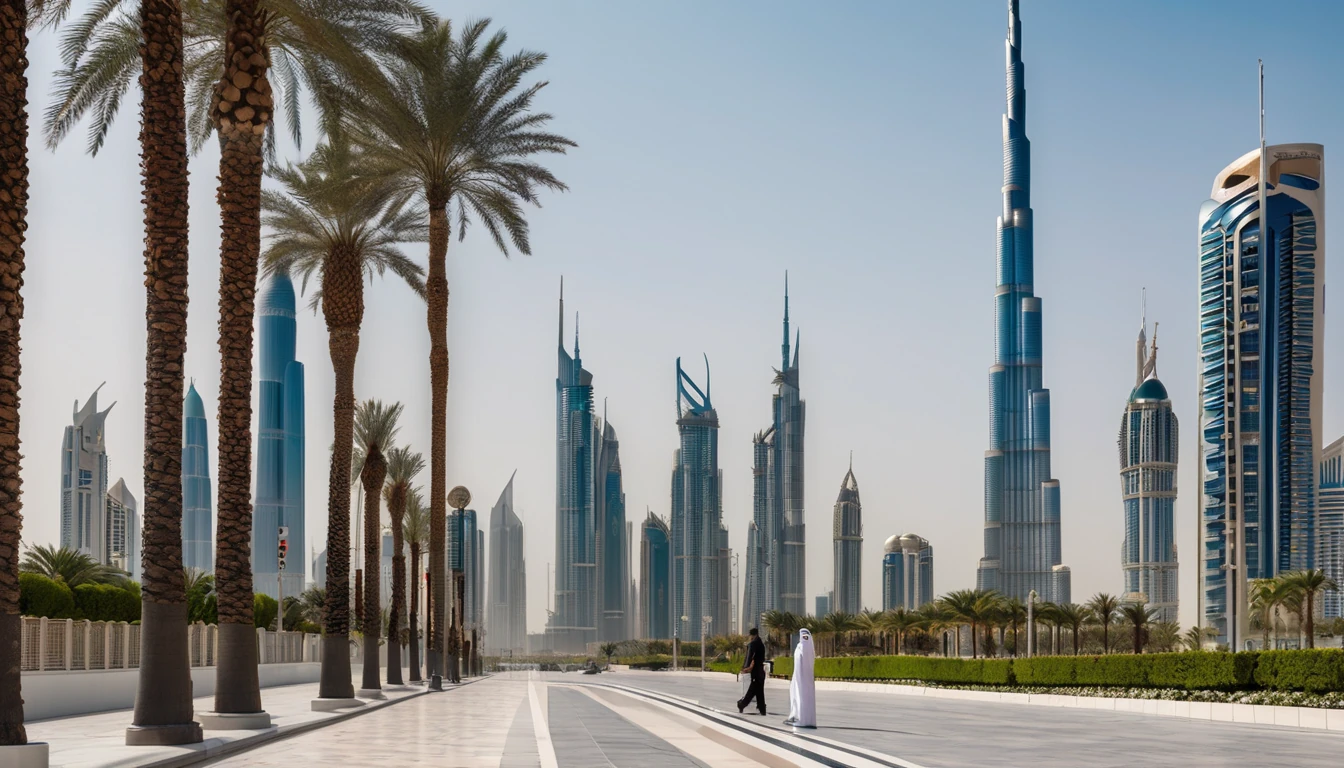
Downtown Dubai — the area around the Burj Khalifa, Dubai Mall, and the Dubai Fountain — is one of the most densely connected urban zones in the UAE. Real-world tests in this area consistently show 5G download speeds of 300–500 Mbps and upload speeds of 80–150 Mbps. Latency is impressively low, typically 8–18 ms, which matters for video calls and real-time navigation.
Why Downtown Performs So Well
The concentration of luxury hotels, major corporate offices, and high-footfall tourist attractions has pushed network operators to deploy dense small-cell 5G infrastructure throughout the area. Even during peak evening hours when the Dubai Fountain show draws large crowds, network performance holds up reasonably well — you might see speeds dip to 150–200 Mbps, but rarely below 100 Mbps on 5G.
Specific Spots to Know
| Location | Typical 5G Speed | Notes |
|---|---|---|
| Burj Khalifa observation deck (124F) | 180–320 Mbps | Indoor coverage excellent |
| Dubai Mall (ground floor) | 250–450 Mbps | Dense small cells throughout |
| Dubai Mall (basement car park) | 40–90 Mbps | LTE fallback common |
| Dubai Fountain waterfront | 200–380 Mbps | Outdoor, open sky — ideal |
| Business Bay (adjacent) | 280–500 Mbps | Less crowd density, faster |
How Does Dubai Marina Compare for Mobile Coverage?
Dubai Marina is arguably the best-performing zone in the city for consistent 5G speeds. The Marina Walk — the 7 km promenade lining the canal — sits in an open corridor with excellent line-of-sight to cell towers, and the residential towers lining both sides have strong indoor coverage through dedicated in-building systems.
Typical Marina speeds: 320–550 Mbps download, 100–180 Mbps upload on 5G. Even inside the taller residential towers, you'll rarely drop below 100 Mbps.
JBR and The Walk at JBR
Just west of the Marina, Jumeirah Beach Residence (JBR) and The Walk are equally well-served. Beach-side outdoor coverage is strong, and the open-air mall The Beach has excellent signal throughout. This is one of the few areas where you can reliably video call home from the beach without hunting for WiFi.
Palm Jumeirah
Coverage on the Palm is solid on the trunk and fronds, though the very tip of the Palm (near Atlantis) can occasionally see 4G fallback during heavy tourist periods. Still, 80–200 Mbps is typical even there.
What Are Dubai's VoIP Restrictions — and What Can You Actually Use?
This is where Dubai trips up a lot of travelers, and it's worth understanding clearly. The UAE's Telecommunications and Digital Government Regulatory Authority (TDRA) restricts unauthorized VoIP services under the country's telecom licensing framework. In practice, this means several popular apps don't work as expected for voice and video calls.
Apps that are blocked or restricted for voice/video calls in the UAE (as of 2026):
- WhatsApp voice and video calls
- FaceTime Audio and FaceTime Video (over cellular)
- Skype (voice calls)
- Google Meet (audio calling features)
- Zoom (partially — video conferencing works, but direct VoIP calling is restricted)
Apps that work:
- Standard WhatsApp messaging (text, images, documents) — fully functional
- WhatsApp voice/video calls via the licensed operator's own VoIP app (e.g., some carriers have licensed versions)
- Regular cellular calls and SMS — always work
- Zoom video meetings (the conferencing feature, not the phone dial-out)
- Microsoft Teams (video meetings work; Teams Phone PSTN calling is restricted)
- Slack (messaging and video meetings)
Why Does This Matter for Travelers?
If you're a tourist planning to video call family back home, or a business traveler who relies on WhatsApp calls to clients, you'll hit this restriction. The TDRA's position is that VoIP services must be licensed through local operators to ensure quality and regulatory compliance — a policy consistent across the Gulf region (neighboring Qatar and Saudi Arabia have similar frameworks).
What's the Practical Workaround?
The most reliable legal workaround is to use your regular cellular minutes for calls — which is exactly why having a local or travel data plan with included call minutes matters. With a UAE eSIM, you get a local number that can make and receive calls normally, bypassing the VoIP restriction entirely for voice communication.
For video calling specifically, WhatsApp video calls remain restricted regardless of SIM. The practical alternatives travelers use:
- Facetime over WiFi in hotel rooms — hotel WiFi networks are not subject to the same cellular-level restriction
- Zoom meetings (not Zoom Phone) — works fine for scheduled video conferences
- Telegram voice calls — currently works in the UAE (though this can change; always verify)
Important: Using a VPN to circumvent VoIP restrictions is technically illegal under UAE law. We don't recommend it, and penalties can be significant.
Which Networks Operate in Dubai, and Does It Matter for Your eSIM?
No specific carrier ground truth was provided for this article, so we'll describe the network landscape accurately without naming operators. The UAE has two major licensed mobile network operators that between them cover virtually 100% of the population on both 4G LTE and 5G. Both networks are high quality; the difference in real-world performance for a traveler is minimal.
What matters more for eSIM users is which network your eSIM provider has roaming agreements with. A well-configured travel eSIM will connect to whichever of the two major networks offers the strongest signal at your location — this automatic network selection is one of the practical advantages of modern eSIM profiles.
For context on how the UAE compares to other well-connected destinations, the MENA regional eSIM page covers the broader picture across the region.
How Do Dubai Speeds Compare to Other Major Travel Destinations?
Dubai's network performance stands out even against other top-tier destinations. Here's how it stacks up based on Ookla Speedtest Global Index data (Q1 2026):
| Destination | Median 5G Download | Median 4G LTE Download | 5G Coverage |
|---|---|---|---|
| Dubai, UAE | ~410 Mbps | ~65 Mbps | 96%+ |
| Paris, France | ~280 Mbps | ~55 Mbps | 78% |
| Madrid, Spain | ~260 Mbps | ~50 Mbps | 71% |
| Istanbul, Turkey | ~190 Mbps | ~35 Mbps | 62% |
| New York, USA | ~320 Mbps | ~48 Mbps | 65% |
Dubai's lead is most pronounced in the 5G tier. If you're traveling from a destination like France or Spain — where French mobile speeds and Spanish mobile speeds are solid but not exceptional — you'll notice a genuine step up in Dubai.
What Data Plan Do You Actually Need for a Dubai Trip?
For most leisure travelers, 5–10 GB over 7 days is sufficient for typical usage: maps, social media, messaging, streaming music, and occasional video. Here's a rough breakdown of what different traveler types consume:
Data Usage by Traveler Profile
| Traveler Type | Daily Usage | 7-Day Trip Total | Recommended Plan |
|---|---|---|---|
| Light (maps, messaging, email) | 200–400 MB | 1.5–3 GB | 3 GB plan |
| Average (social media, streaming music) | 500 MB–1.2 GB | 3.5–8.5 GB | 5–8 GB plan |
| Heavy (video streaming, video calls, remote work) | 1.5–3 GB | 10–21 GB | 15–20 GB plan |
| Digital nomad / remote worker | 3–6 GB | 21–42 GB | Unlimited or 30+ GB |
Keep in mind that VoIP restrictions reduce data consumption for voice calls (since those route over cellular minutes instead), but if you're on video calls via Zoom or Teams meetings, those still consume data at roughly 300–600 MB per hour.
For digital nomads using Dubai as a base, check out the Digital Nomad eSIM Guide for deeper advice on managing data across extended stays, and the Business Travel eSIM Guide for IT-policy considerations if you're on a corporate trip.
How Do You Set Up a Dubai eSIM Before You Land?
Setting up a travel eSIM for Dubai is straightforward, and doing it before you board is strongly recommended — you'll land with data already active rather than hunting for a SIM shop after a long flight.
Step-by-Step Setup
- Check device compatibility. Your phone needs to support eSIM (most iPhones from XS onward, Samsung Galaxy S20+, Google Pixel 3+, and many other recent Android flagships). Check your phone's settings under "Mobile Data" or "SIM & Network" for an "Add eSIM" option.
- Purchase your plan. Choose a data plan sized for your trip length and usage type. For Dubai specifically, ensure the plan covers UAE (not just a broader Middle East bundle that might throttle UAE speeds).
- Receive your QR code. You'll get a QR code by email or in-app immediately after purchase.
- Scan the QR code. Go to Settings → Mobile/Cellular → Add eSIM → Scan QR Code. Your phone downloads the profile in under a minute.
- Set data routing. On dual-SIM phones, set your eSIM as the "data SIM" for your trip. Keep your home SIM for calls/SMS if needed, but route all data through the eSIM.
- Enable data roaming on the eSIM. Some phones require this toggle to be switched on for the eSIM profile.
- Land, connect, go. Your phone connects automatically to the local network when you land.
What If I Forgot to Set Up Before Landing?
You can still set up an eSIM at DXB — the airport has strong signal in the arrivals hall, and QR code scanning works fine there. The only scenario where you'd struggle is if you have no WiFi and no data at all; in that case, connect to the free DXB airport WiFi (available throughout all terminals) to complete the download.
Are There Any Connectivity Quirks Unique to Dubai?
A few edge cases worth knowing:
Dubai Metro and Tram: Both have excellent in-tunnel coverage — a genuine engineering achievement that many cities haven't matched. You can stream video on the Metro without interruption.
Desert areas (Dubai Safari, Al Marmoom): Coverage thins out noticeably beyond the city limits. You'll have signal at major desert camp sites, but expect 4G LTE rather than 5G, and occasional gaps in more remote dune areas.
Expo City Dubai (former Expo 2020 site): Now a permanent district, it has strong 5G infrastructure built during the Expo period. Coverage here is excellent.
Gold Souk and Deira: The older, denser urban fabric of Deira can cause signal scattering. Coverage is present but speeds are lower than Downtown — expect 100–200 Mbps rather than 400+.
Cruise ships at Port Rashid / Mina Rashid: When docked, you'll connect to the city network normally. Once at sea, you're on maritime rates (very expensive) — this is a good moment to use the ship's WiFi instead.
FAQ
Does WhatsApp calling work in Dubai?
WhatsApp voice and video calls are restricted in the UAE under the TDRA's VoIP licensing framework. Standard WhatsApp messaging — texts, photos, documents, voice notes — works completely normally. For voice communication, the most reliable option is to use regular cellular calls, which work on any local or travel SIM without restriction.
What is the best eSIM plan size for a week in Dubai?
For a typical 7-day leisure trip, a 5–8 GB plan covers most travelers comfortably — enough for maps, social media, messaging, and occasional streaming. If you're planning to work remotely, take video calls via Zoom or Teams, or stream video content heavily, opt for a 15–20 GB plan or an unlimited option to avoid running short mid-trip.
Is 5G available throughout Dubai, or just in certain areas?
5G coverage in Dubai is extensive — the UAE has over 96% population coverage on 5G nationally. In practice, you'll have 5G signal in virtually all tourist areas: DXB airport, Downtown Dubai, Dubai Marina, JBR, Palm Jumeirah, and the Metro system. More remote areas like desert camps may fall back to 4G LTE, but that's still fast enough for most uses.
Can I use FaceTime in Dubai?
FaceTime Audio and FaceTime Video are restricted over cellular data in the UAE. However, FaceTime over WiFi (e.g., from your hotel room's WiFi connection) typically works, as the restriction is applied at the carrier/cellular network level rather than universally. For reliable video calling, Zoom meetings (not Zoom Phone) and Microsoft Teams video conferences also function normally.
Do I need to register my SIM or eSIM when arriving in Dubai?
For travel eSIMs purchased from international providers, registration requirements vary. UAE regulations require that SIM cards sold locally are registered to a passport. International travel eSIMs operate under roaming agreements and generally don't require in-country registration by the traveler — your provider handles compliance at the wholesale level. Always check your specific eSIM provider's terms to confirm.
How fast is the internet at Dubai hotels?
Most 4- and 5-star hotels in Dubai offer fast, reliable WiFi — typically 50–300 Mbps depending on the property and how many guests are connected. Cellular coverage inside hotels is also excellent due to in-building distributed antenna systems. For work-critical tasks, your travel eSIM's cellular connection is often more consistent than shared hotel WiFi during busy periods.
Will my eSIM work on the Dubai Metro and tram?
Yes — the Dubai Metro (both Red and Green lines) and the Dubai Tram have excellent in-tunnel cellular coverage, including 4G LTE and 5G in many sections. You can stream, message, and use maps without interruption throughout most of the journey. This is one of Dubai's standout infrastructure achievements compared to metro systems in other major cities.
Is it worth getting a local UAE SIM vs. a travel eSIM for Dubai?
For short trips (1–2 weeks), a travel eSIM is almost always more convenient — you activate it before landing, avoid queuing at airport SIM kiosks, and keep your home number active on the same device. Local UAE SIMs require passport registration at point of sale and are best suited for longer stays or residents. A travel eSIM covering the UAE, like the options on Simology's UAE eSIM page, gives you competitive data rates without the paperwork.
The Bottom Line: Dubai Is One of the Best-Connected Cities in the World
Dubai's mobile network infrastructure is genuinely impressive — fast, consistent, and widespread. Whether you're navigating DXB arrivals, exploring the Burj Khalifa, or working from a Marina café, you can count on strong 5G performance in virtually every tourist-facing location. The city ranks among the top five globally for mobile speeds, and that lead is likely to hold as the UAE continues investing in network infrastructure ahead of its 2031 smart city targets.
The one real gotcha is VoIP restrictions. Know before you go that WhatsApp calls and FaceTime won't work over cellular, plan your communication accordingly (cellular calls, Zoom meetings, hotel WiFi for video calls), and you won't be caught off guard.
For travelers visiting neighboring Gulf countries on the same trip, it's worth noting that Qatar and Saudi Arabia have similar VoIP frameworks — so the same communication strategy applies across the region. And if you're comparing Dubai's connectivity to other major destinations you're visiting, the Turkey eSIM guide and USA eSIM guide offer useful benchmarks.
Set up your eSIM before you board, pick the right data size for your trip, and you'll land in Dubai ready to navigate, share, and stay connected from the moment you touch down.